Anyway to open the service menu turn off the monitor, then hold down the 3rd and 4th button (from the left) whilst you turn the monitor on. Then press the 3rd button from the left which will open the menu. Perhaps this is also applicable to the other 240hz monitors which use the same panel.

Changes to the OD gain setting won't persist after a resolution change, originally I was actually using my CS resolution on desktop. 7F is the maximum OD gain setting (not sure how it compares to the OSD Super Fast since I lost that capability a while ago lol)
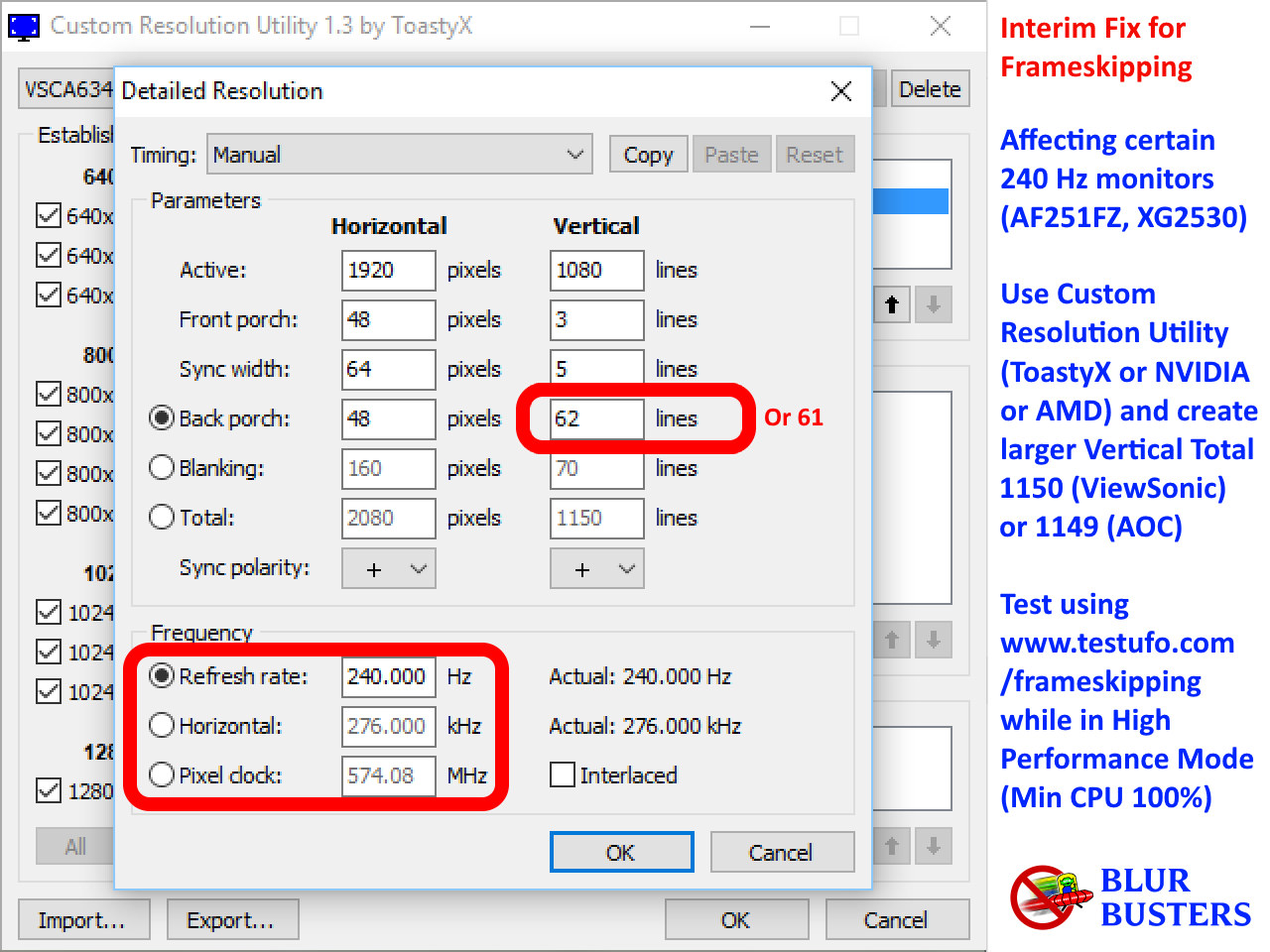
Another thing of note is DEBUGMEG, enabling this the monitor will accept higher refresh rates than 240hz though I couldn't get any refresh rates stable. I also had a fair few issues with frameskipping, I could get 1920x1080 stable at 240hz (as opposed to default 239.760) using https://www.blurbusters.com/wp-content/ ... _240hz.png but not for instance 1280x960 with same timings or even adjusted ones, it seems quite finnicky. 1280x960 wouldn't even work at 239.760 hz with the default non-frameskipping shipped 1920x1080 239.760 hz timings. I'm not sure what dictates whether it frameskips or not, has anyone found out the reasoning behind this?
It rejects all timings with vertical totals past 1250ish no matter HDMI/DP/Debugmeg on or off (I suppose that's normal and within the limitations of the monitor). I was curious to see if increasing the vertical totals would improve motion or/and overdrive quality, since I'd read people say that the 'reduced blanking timings' added blur. Hmm, looking back, it seems that I did test this, I just found a 1280x960 240hz resolution with 1226 vertical totals that doesn't frameskip. As to my verdict on whether it made a difference, at the time I thought so, perhaps you too can experience this glorious placebo! - https://imgur.com/IIK9pqV. Hopefully that means we can have non-frameskipping 240hz (as opposed to ocd triggering 239.760hz) at lower resolutions by upping the vertical totals or by double minus polarity.