

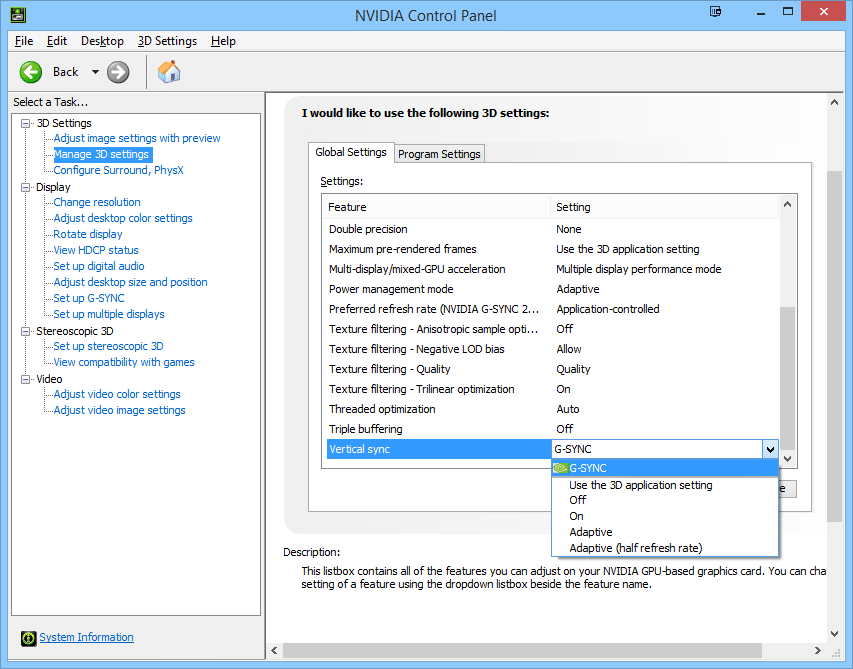
Sometimes a full screen game just doesn't automatically use G-SYNC, so you often have to force it.
I needed to do this for a majority of my games, such as Bioshock Infinite.
Verifying you're in G-SYNC: While running a game, press the ULMB button and it will say "ULMB is not available in G-SYNC". If you get this message, that means you are now in G-SYNC mode.
Capping the framerate: In addition, if your game runs at a framerate too fast, try to find your games' frame rate cap to slightly below GSYNC's maximum limit, and then set the cap to approximately 140 frames per second. This often fixed unexpected stutters in certain games such as CS:GO.
GSYNC versus ULMB: As a rule of thumb, GSYNC really helped fluctuating/lower framerates, and ULMB really helped steady/high frame rates. There's a personal preference factor involved; use the appropriate mode. Enjoy!



 ), then yes. It caps exactly at the fps I set. I'd like to be able to write decimals, though. I always feel the need to know what fps I'm getting, and temperatures, etc. I've always that program on.