I have just received the AOC, assembled and configured 2 profiles.
One for fast FPS games and one for everyday work with good colors, deep black and pleasant brightness.
Unpacking and first impressions:
The first thing that strikes you is that AOC comes with everything. A cable is included for each connection the monitor has. A nice plus is the wired remote control of the AOC. In contrast to the LG, the AOC also comes with a USB 3 cable for the USB 3 hub built into both monitors.
Both monitors have an extra bracket. The AOC for the headset, the LG for the mouse cable. Unfortunately, LG forgot to supply the holder (HELLO QA). I think both ideas are very good and love the saved space on my desk because my huge headset is now hanging on the monitor.
Assembly:
With both monitors problem-free. With the AOC, however, you need a Philips screwdriver as the foot is simply a Vesa mount. The AOC feels more like a tank when you hold the LG in your hand.
Both have a certain amount of cable routing which is removable on the LG.
OSD:
Both OSDs are easy to use. I like the AOC a little better. But that's a matter of taste.
With the AOC, the profiles can be set up, saved and toggled quickly. With the LG, the handling was not so pleasant that I used only one profile all the time. At the AOC it was fun to change them.
MotionBlur Reduction:
The LG has one.
The AOC has none.
However, the AOC still looks better.
If you set the overdrive of the AOC to Strong and set the shadow control to 60 then there is almost no motion blur and no ghosting at all. Its almost als good as my old BenQ XL2411Z. The only difference is that the image gets brighter the stronger you turn the shadow control up.
Oh, yeah. I use the AOC with 144hz and the LG with 120hz.
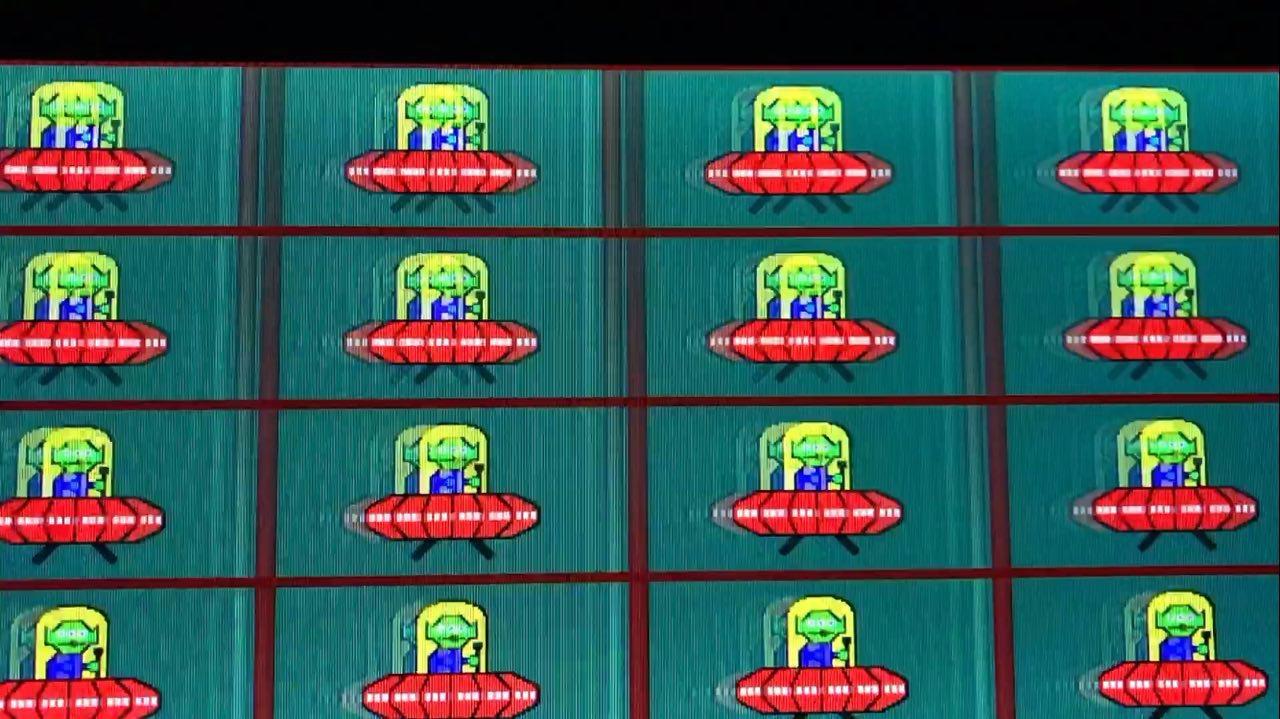
If you set the LG to 144hz you get about 5 times ghosting. With 120hz and 100hz only 3x.
If you set the AOC 200hz you get a gamma shift when scrolling through the image, which is noticeable in dark areas with high contrast.
With the LG, the picture gets better when you turn off the 1ms motion blur reduction. In my opinion it plays better with streaks than with triple ghosting.
InputLag:
You don't feel any (difference) on both screens.
Image quality:
Both monitors make a nice picture and are well and evenly illuminated. Even on a completely black background I don't see any notable irregularities. But at the LG I see e. g. in Steam the gradations in grey much more clearly. Does it perhaps only show 6 bit color depth? If no, I've configured anything wrong, I think.
That was my first brief overview before going to bed.
I liked the LG very much until I had the AOC on my desk.
Here are 2 more videos I just made at the AOC with the above mentioned settings.
(The LG isn't built up and my wife is asleep. But if necessary I go to the LG (or AOC) for more details and make videos of the TestUFO)
960 Px/s
https://www.youtube.com/watch?v=PrMGAmoO3bs
2560 Px/s (smartphone cam to slow here, sorry: /)
https://www.youtube.com/watch?v=EpGRXxEnCII
Heres an image stolen from an Amazon review from the 34UC79g-b with 1ms mlb activated. I can confirm this behaviour.
Edit:
Maybe you have tips for me how I get the best results from recording testufo.
Why did I get this version ?
Because iirc the gsync version has a 1440p resolution. And my GTX 1060 can't handle this (at desired framerates). And iam completely satisfied with the dpi now.
I repasted my laptop with liquid metal and I undervolted it.
I can game for hours now and my laptop won't get over 65-70°C. My CPU is at 100% turbo clock speed all time because no thermal throttling occurs. So it runs at 3.5ghz or so instead of 2.8ghz. And the discrete graphics card GTX 1060 too. It's running at desktop clock speeds because of no thermal throttling.
When I use the laptop for coding work I now never hear the fans. Which was unlikely before.
And if I connect my laptop to my self built docking station which includes a 120mm fan, it's not much louder when gaming than my old tower cooled by a 360mm radiator. I'm so happy with this laptop now.
Only wish it had a 120hz internal display





