Kaido wrote: ↑07 Dec 2020, 09:48
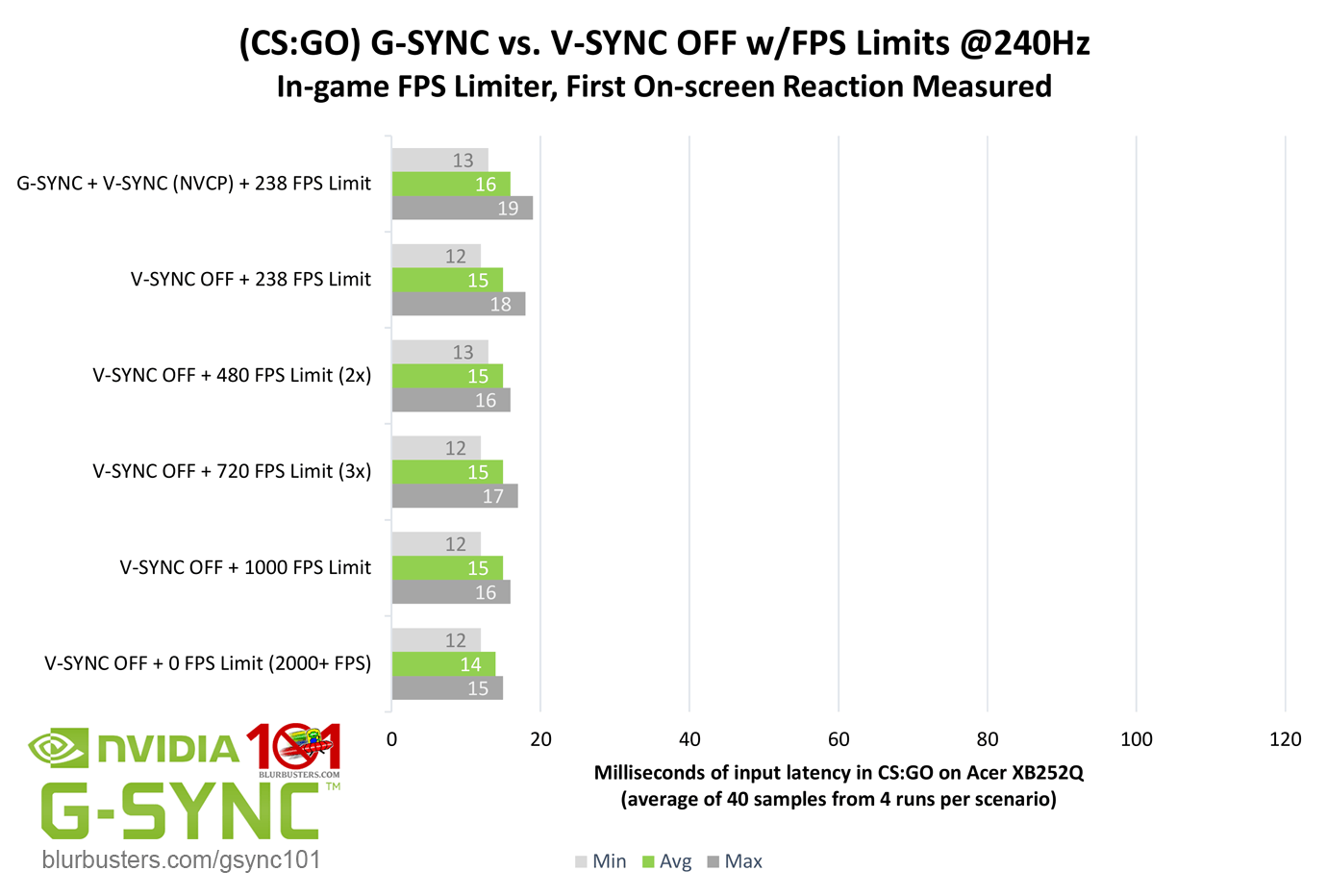
I've read the GSync 101 guide, and from it I understand that I should disable GSync to minimize input lag when playing with high (250+) fps and Vsync disabled. However, Battle(non)sense lists in one of his videos, that you should have GSync enabled.
So which one is it?
Is it monitor dependent? I'm talking about monitors with hardware GSync implementations here.
I've come across claims of GSync mode adding ~2ms input lag in couple of different places. Could this actually be the case?
G-SYNC doesn't add input lag, G-SYNC prevents tearing, and a lack of tearing with G-SYNC + an FPS limit within the refresh rate, specifically, prevents sustained higher-than-refresh-rate frametime.
The more accurate way to express it, is that no sync can further reduce input lag.
As for why Battle(non)sense recommends G-SYNC over that scenario, it's all about context. The higher the max refresh rate, the faster the scanout cycle, and the faster the scanout cycle, the less difference there is between G-SYNC and no sync, thus, 500+ FPS no sync at 360Hz is much less beneficial from an input lag reduction standpoint than say 500+ FPS no sync at 60Hz.
It basically comes to a point of diminishing returns.
As for monitor-dependence, actual G-SYNC or max Hz operation will not change across monitors with equivalent specs, but individual monitor processing (and, to a lesser degree, GtG levels) can indirectly affect G-SYNC responsiveness (and all responsiveness) by simply lowering or raising the base minimum achievable input lag.