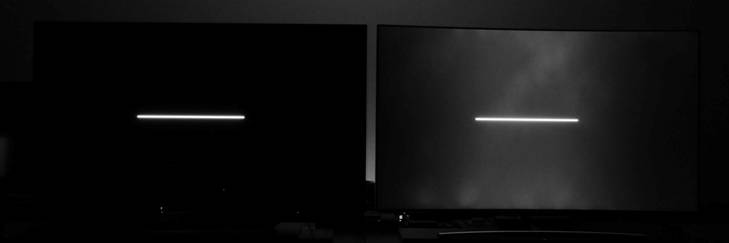
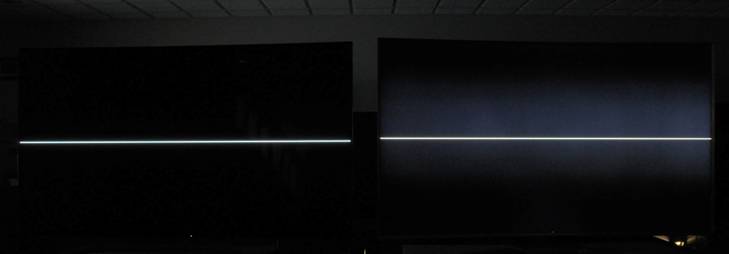
BattleAxeVR wrote:In theory, it's possible for an LCD TV to start scanning out when fed with RGB signals line-by-line, and I assume many "gamer" monitors already do this to get sub-frame latency levels
Yes, they already do.
More than half of TN-panel "Better Than 60Hz" monitors already do, yes. VA has more problems with it, but both IPS and TN has been scanned in near-realtime (line-buffered) with cable input. Allowing a few lines of line buffering for DisplayPort micropacket jitter.
Most processing (overdrive, picture, etc) can be done (and already are) in a line-buffered way.
BattleAxeVR wrote:but when you feed an HDR image over HDMI 2.0a, you need to pass it via YCbCr 4:2:2 at best, which is a planar format instead of a packed format, i.e. the chroma planes are located after the luma plane in each frame.
Not all methods of transmitting luminance/chrominance are planar. Framebuffers collecting YCbCr data have been historically packed as YVYU so you can transmit YCbCr as a packed format over a cable (and I believe, AFAIK, historically has been...). Then it'd be compatible with realtime scan-out.
However, I am not currently familiar with how HDR10 is transmitted over HDMI, if it's planar/packed at cable transmission level. I'll need to look up the specifications. If it is packed, then HDR can in theory be displayed nearly laglessly.
Also, planar-and-packed are sometimes different at cable level versus framebuffer level. From an input-lag perspective, we're chiefly concerned about the cable level -- that full picture info is fully transmitted for a full row of pixels (scan line). This is fully compatible with top-to-bottom sequential-scanout technologies (e.g. CRT, LCD, OLED, etc) for near-lagless sync between cable and panel, regardless of how the framebuffers are internally stored (planar or packed, on GPU or display end).
Also, don't forget decoupling of video signals from display dotclocks, via accelerated frame delivery techniques.
HDMI 2.1 has a
new feature called
Quick Frame Transport (QFT) which reduces latency. It's essentially the same trick that G-SYNC/FreeSync users can do now. For example, 240Hz GSYNC monitors playing 60fps games -- each "60Hz" refresh cycle is delivered in 1/240sec -- this is the concept of Quick Frame Transport (QFT). Accelerated frame delivery will help reduce lag of planar formats (if planar is being used as a cable-delivery mechanism). The QFT concept is exactly the same: Deliver a refresh cycle at the cable's maximum dotclock (which can sometimes be independent of the GPU/display).
Also, in addition, this concept is also the same as the "Large Vertical Totals" tricks that Blur Busters Forums users talk about. Basically, using a higher dotclock for a lower refresh rate, and padding the time between refresh cycles with a larger VBI. Visible frames delivered faster, followed by longer VBI waits between refresh cycles.
You can even deliver faster than the maximum Hz, if the chips can decouple the dotclock from the display (it has been done before). HDMI 2.1 is also capable of delivering a 1080p frame in less than 1/1000th of a second, if you transmit the frame at full wire speed.
Even five years ago, there are some 60Hz displays (not-capable of 75Hz or 120Hz without frameskipping) that I found was able to accept a 75Hz-derived-dotclock or 120Hz-derived-dotclock "60Hz" signal, which allows them to display a 60Hz refresh cycle a little sooner than a regular 60Hz. I'm glad that this old accelerated-delivery trick is now officially becoming part of HDMI 2.1 and VRR technologies.
Pushed to its extreme, QFT can deliver fully planar 1080p over HDMI 2.1 in less than 1ms.
So input lag of planar frame delivery doesn't actually necessarily correspond to the refresh cycle time, if using any variant of Quick Frame Transport (or its similar predecessors, like using G-SYNC/FreeSync + 60fps for a low-lag "60Hz" signal, or using Large Vertical Totals as an input-lag-reducing trick).
Using a Large Vertical Total via large Front Porch instead of large Back Porch/Sync is a very old undocumented QFT technique -- it even reduced 60Hz VSYNC ON lag on high-Hz CRTs twenty years ago, but almost nobody knew about this very old-fashioned lag-reducing trick that was hard to measure (But now we have lag testers). It can reduce input lag (especially for VSYNC ON) of a lower refresh rate on certain displays.
All these QFT tricks (whether via Large VT's, or via G-SYNC/FreeSync high-Hz-low-fps, or via HDMI 2.1 QFT) are all similar in concept in "Custom Resolution Utility" arithmetic, differences are simply semantics. All the above are simply "full wire-speed transmission of a refresh cycle" under different techniques.
Some emulator users now use G-SYNC/FreeSync monitors to reduce 60Hz input lag, because G-SYNC/FreeSync are essentially natural QFT systems (60fps delivering frames in 1/240sec on a 240Hz GSYNC monitor).
This doesn't work when you're using the max Hz (you're forced to use Reduced Vertical Totals for 144Hz, for example) but monitors capable of >60Hz can have lower-lag 60Hz via these little-known old QFT hacks. Basically trading high-Hz room as a low-Hz-refresh-cycle accelerator. This is mostly useful for reducing lag, of say, 60Hz VSYNC ON applications.
But now that it's open, we'll be writing more in 2018 about QFT techniques, and how to take advantage of "QFT equivalents" on non-QFT systems, even dating back to 20-year-old PowerStrip/CRU tricks, and more publicizing about how to carefully calculate lag-reducing Large Vertical Totals for VSYNC ON applications (e.g. emulators, etc).
 x ratio and compression.