Page 4 of 11
Re: broken scaling cause of heavy/floating mouse, desync, heavy cur bug, input lag etc
Posted: 04 May 2025, 10:29
by JimCarry
naporitan wrote: ↑04 May 2025, 10:26
JimCarry wrote: ↑04 May 2025, 10:22
create custom resolution maybe ?
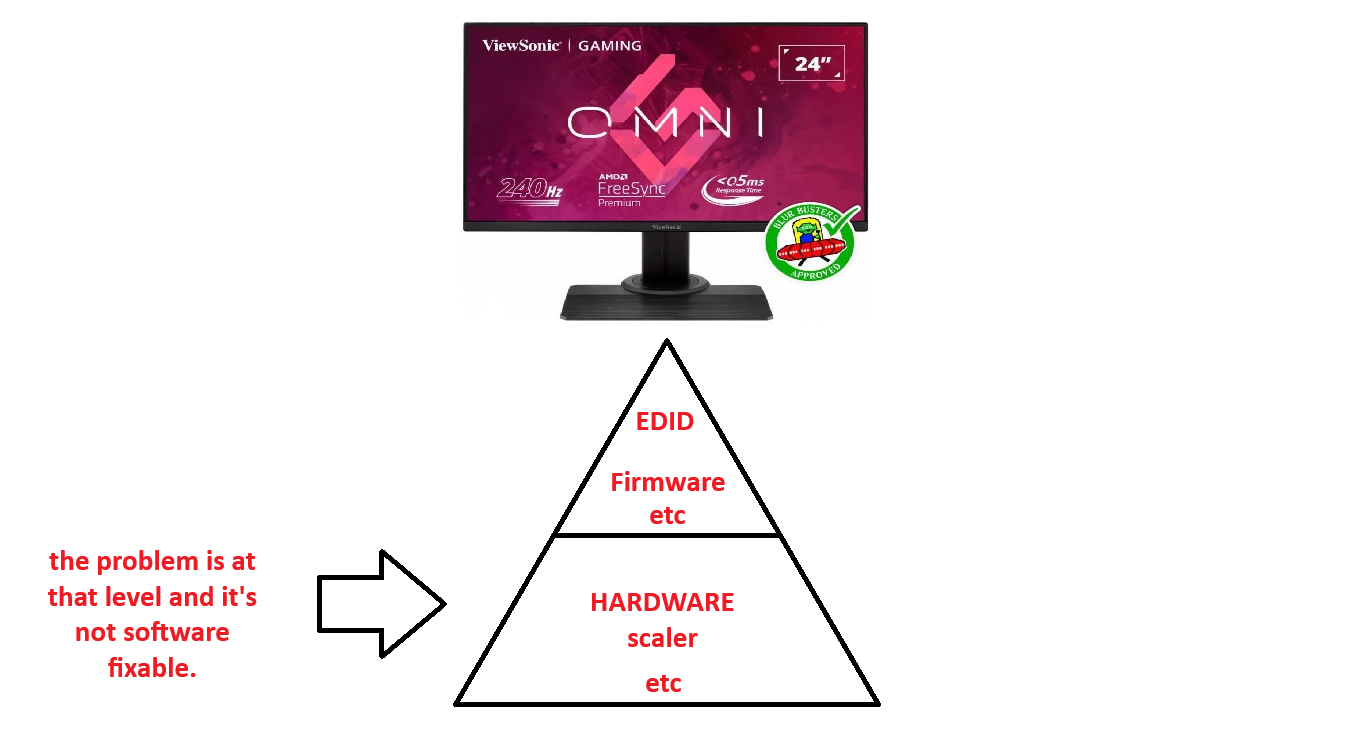
Unfortunately this doesn't fix the problem as the problem is on another level. If it were that simple, it would be possible to use display scaling and custom resolution via CRU.
i use display scaling via cru?
Re: broken scaling cause of heavy/floating mouse, desync, heavy cur bug, input lag etc
Posted: 04 May 2025, 10:37
by naporitan
- dasad.png (209.04 KiB) Viewed 4260 times
Re: broken scaling cause of heavy/floating mouse, desync, heavy cur bug, input lag etc
Posted: 04 May 2025, 10:42
by Misha1337
naporitan wrote: ↑04 May 2025, 10:18
Misha1337 wrote: ↑04 May 2025, 09:41
I don't understand what is wrong with the xl2566k and how to make it acceptable?
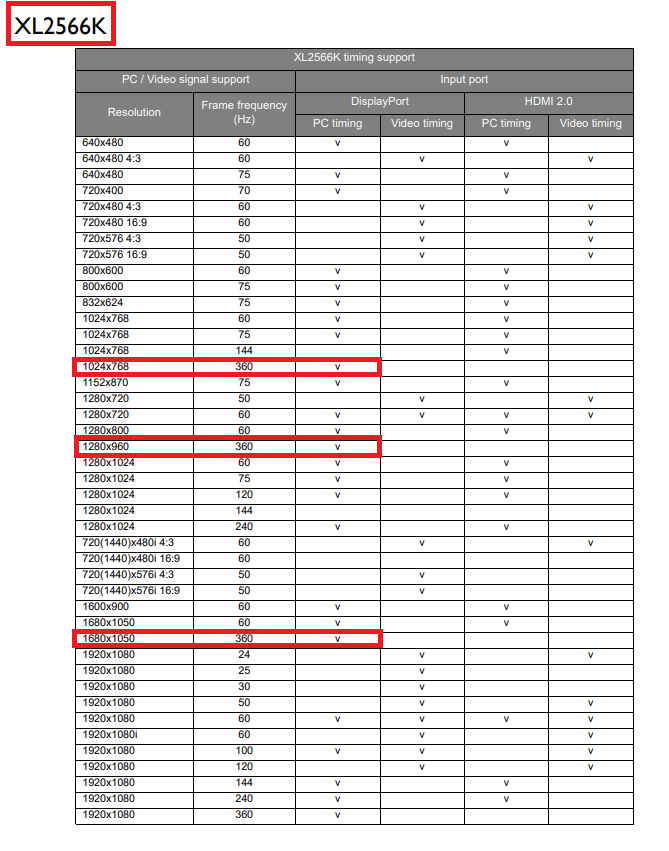
The xl2566k has only four screen resolutions on which scaling will work. Please look at the manual of the specific monitor model, do not buy the monitor blindly.
But that doesn't mean xl2566k is bad as there is support for 1280x960 @240hz
So from your experience what is the best res to use on xl2566k on 360hz ?
Re: broken scaling cause of heavy/floating mouse, desync, heavy cur bug, input lag etc
Posted: 04 May 2025, 10:45
by naporitan
Misha1337 wrote: ↑04 May 2025, 10:42
naporitan wrote: ↑04 May 2025, 10:18
Misha1337 wrote: ↑04 May 2025, 09:41
I don't understand what is wrong with the xl2566k and how to make it acceptable?
The xl2566k has only four screen resolutions on which scaling will work. Please look at the manual of the specific monitor model, do not buy the monitor blindly.
But that doesn't mean xl2566k is bad as there is support for 1280x960 @240hz
So from your experience what is the best res to use on xl2566k on 360hz ?
sorry, I was wrong a little bit here is a screenshot of what resolutions are better to play at 360 hertz.
- Screenshot 2025-05-05 005008.png (95.54 KiB) Viewed 4241 times
don't forget to check the manual for a particular monitor on the official website before buying the monitor.
Re: broken scaling cause of heavy/floating mouse, desync, heavy cur bug, input lag etc
Posted: 04 May 2025, 10:55
by naporitan
JimCarry wrote: ↑04 May 2025, 10:29
naporitan wrote: ↑04 May 2025, 10:26
JimCarry wrote: ↑04 May 2025, 10:22
create custom resolution maybe ?
Unfortunately this doesn't fix the problem as the problem is on another level. If it were that simple, it would be possible to use display scaling and custom resolution via CRU.
i use display scaling via cru?
naporitan wrote: ↑04 May 2025, 10:37

- dasad.png (209.04 KiB) Viewed 4234 times
Re: broken scaling cause of heavy/floating mouse, desync, heavy cur bug, input lag etc
Posted: 04 May 2025, 11:15
by naporitan
- zzz.png (273.43 KiB) Viewed 4173 times
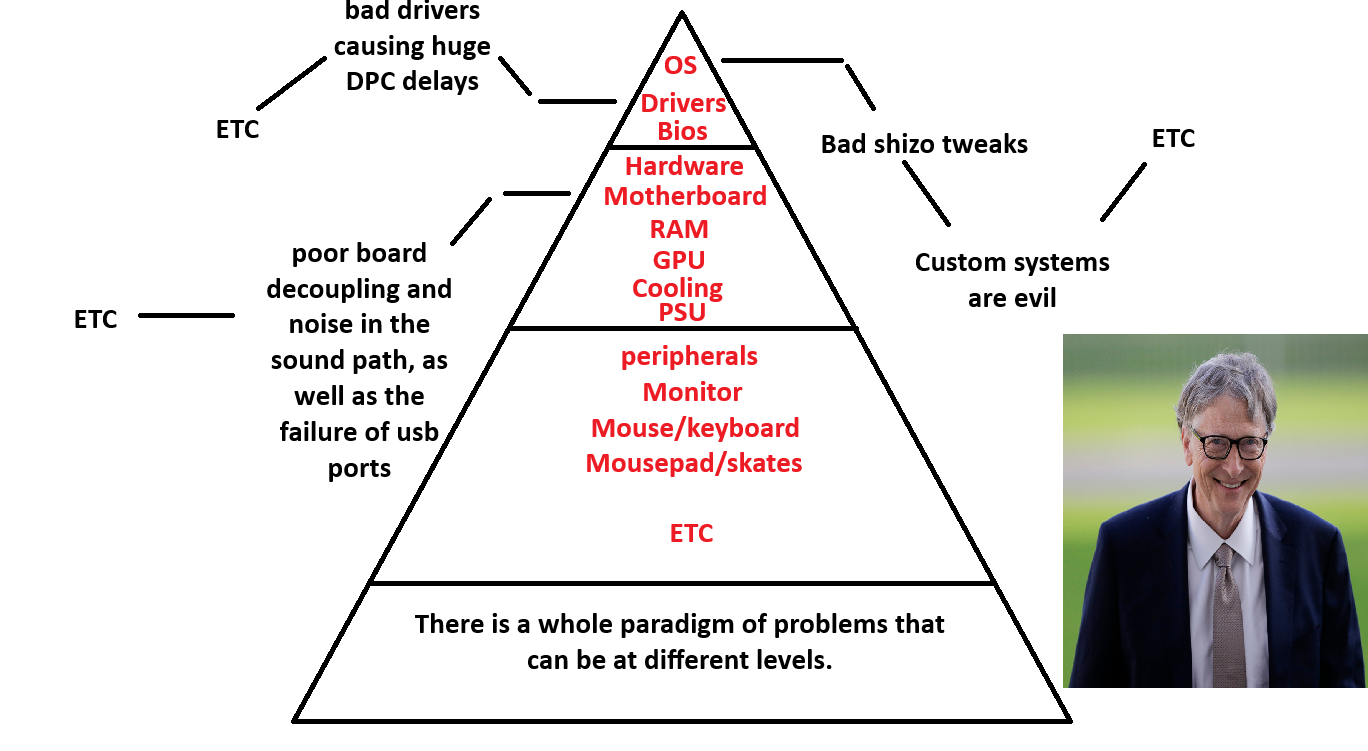
you can have problems at any level, so you have to check everything.
you don't need to disable windows feature services and you don't need to remove anything from the system, dont change power plans
you need to install a clean windows update the entire system as well as game components via microsoft store
then install the drivers from the official website of the motherboard
update the GPU driver
don't listen to what the mega tweakers recommend.
a good guide on how to properly connect a mouse -
viewtopic.php?f=10&t=7618#p58449
I will be very pleased if new players enter the pro scene and for this reason I want everyone to play on equal terms, but at the moment people who have better conditions than others are dominating.
Re: broken scaling cause of heavy/floating mouse, desync, heavy cur bug, input lag etc
Posted: 05 May 2025, 03:41
by RamenRider
I had a similar problems with my BenQXL2730z, but my problem is more GPU related. Initially when I bought the monitor it was like heaven, then AMD updated from Crimson drivers to modern Radeon and something messed up.
Now in my Radeon settings i have to set scaling to GPU and turn off all forms of sync especially FreeSync Premium(somtimes EnhancedSync is good tho). As for scaling Preserve Aspect = Good, Full Panel = Better.
I also have to play around with my monitor settings to achieve 144hz, there's also sometimes a bug where you have to hard reset your monitor and unplug it for 15 seconds for it to get the full 144hz.
Re: broken scaling cause of heavy/floating mouse, desync, heavy cur bug, input lag etc
Posted: 05 May 2025, 07:52
by naporitan
Re: broken scaling cause of heavy/floating mouse, desync, heavy cur bug, input lag etc
Posted: 05 May 2025, 11:23
by naporitan
RamenRider wrote: ↑05 May 2025, 03:41
I had a similar problems with my BenQXL2730z, but my problem is more GPU related. Initially when I bought the monitor it was like heaven, then AMD updated from Crimson drivers to modern Radeon and something messed up.
Now in my Radeon settings i have to set scaling to GPU and turn off all forms of sync especially FreeSync Premium(somtimes EnhancedSync is good tho). As for scaling Preserve Aspect = Good, Full Panel = Better.
I also have to play around with my monitor settings to achieve 144hz, there's also sometimes a bug where you have to hard reset your monitor and unplug it for 15 seconds for it to get the full 144hz.
it is sad and for this reason after a while it is necessary to update the monitor due to fundamental changes in drivers, system architecture.
Re: broken scaling cause of heavy/floating mouse, desync, heavy car bug, input lag etc
Posted: 06 May 2025, 01:49
by fk574r
So I use xl2566k and I need put on Nvidia control panel display no scaling with out override tick and use only 3 res what u said and everything will be better? Cuz I dont understand about Nvidia part