Alas, this is normal.
See:
Explainer: The Stroboscopic Effect of Finite Frame Rates
(click to see the article on Blur Busters)
To fix this, will require either (A) turn intentional GPU blur effect in your games; or (B) quadruple-digit frame rates at quadruple-digit refresh rates. Possibly quintuple-digits.
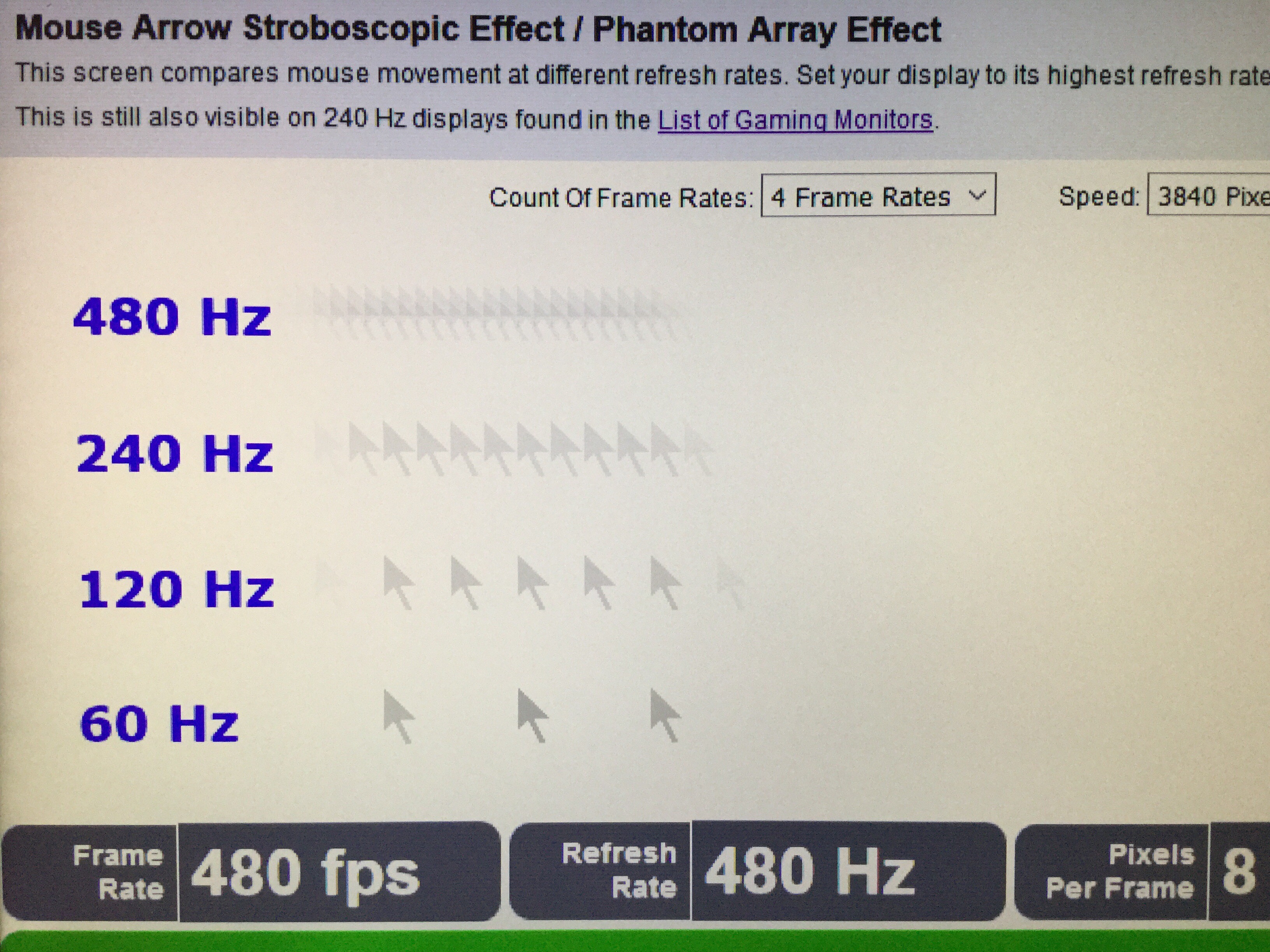
More resolution and more FOV amplifies this stroboscopic limitation. Retina refresh rate of no humankind visibility isn't until well above 10,000Hz, in the case of a theoretical 180-degree 16K VR headset. More reading can be found at
Blur Buster Law: The Amazing Journey To Future 1000Hz Displays.
Now, you can use somewhat faster pixel response (e.g. OLED) to slightly reduce the ghostbehind effect of the mouse cursor, but you will still have the stroboscopic effect.
If you want more consistent spacing between the mouse pointer stroboscopics, use a higher poll rate of 2000-8000Hz, a research paper has confirmed it human visible,
see this thread
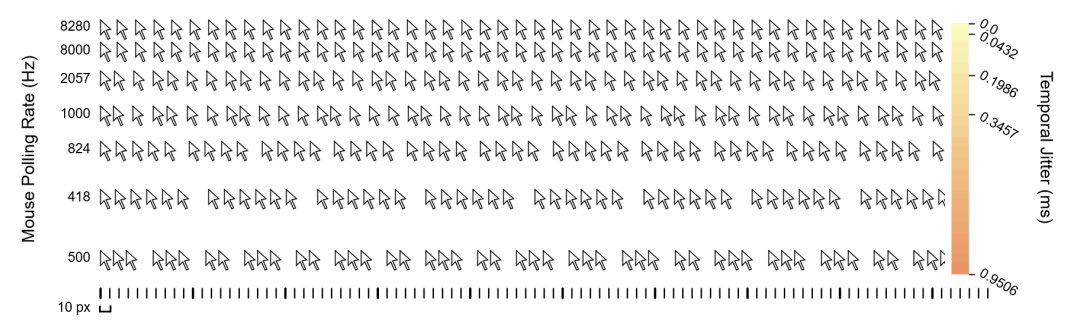
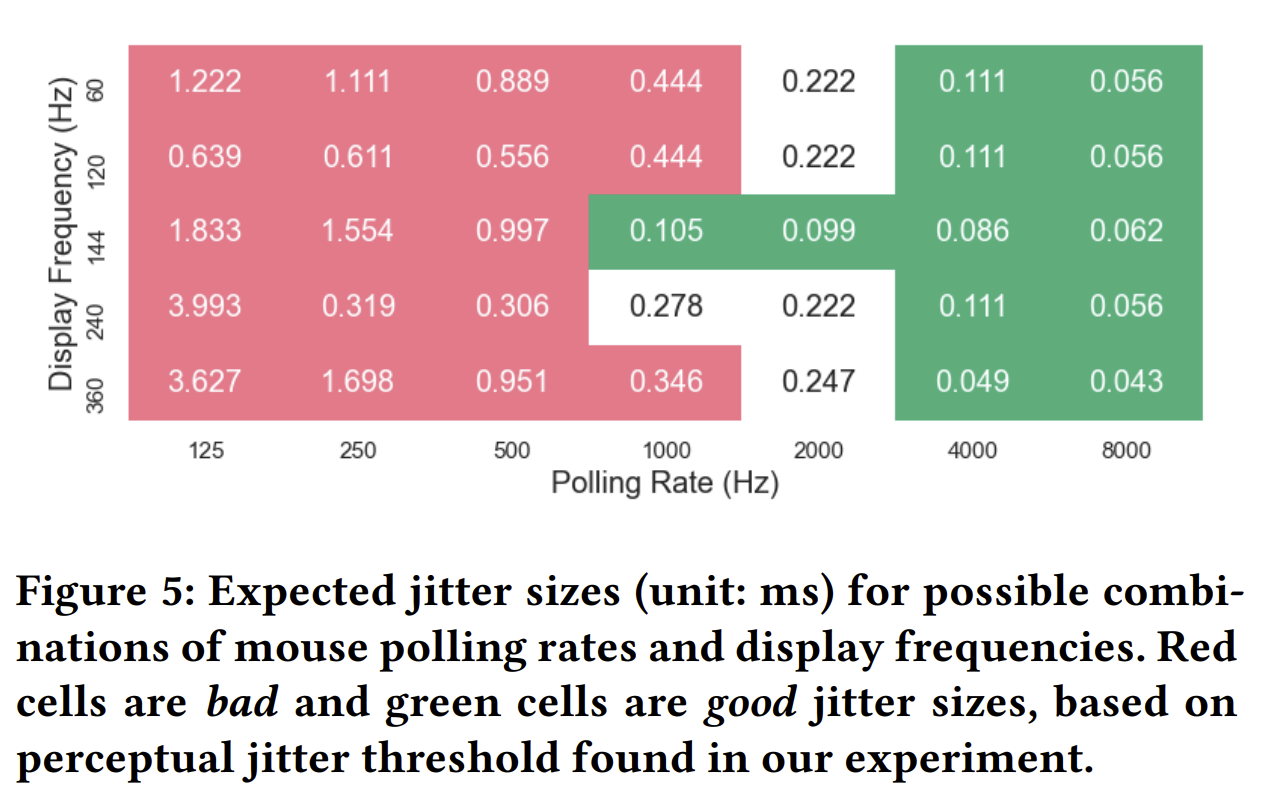
Upgrading your mouse Hz at the same display Hz, will not reduce your "360 copies/sec behavior", but it will make the distance between the pointer copies more consistent and jitter-free, especially if you use "high mouse pollrate, high mouse DPI, low in-game sensitivity". But the game has to keep up with the pollrate!