HOWTO: Apple TestUFO 120fps+ Safari (Turn OFF "Prefer Page Rendering Updates Near 60fps" Setting)
Posted: 01 Apr 2025, 18:59
Evening, I did search this but didnt find a answer...
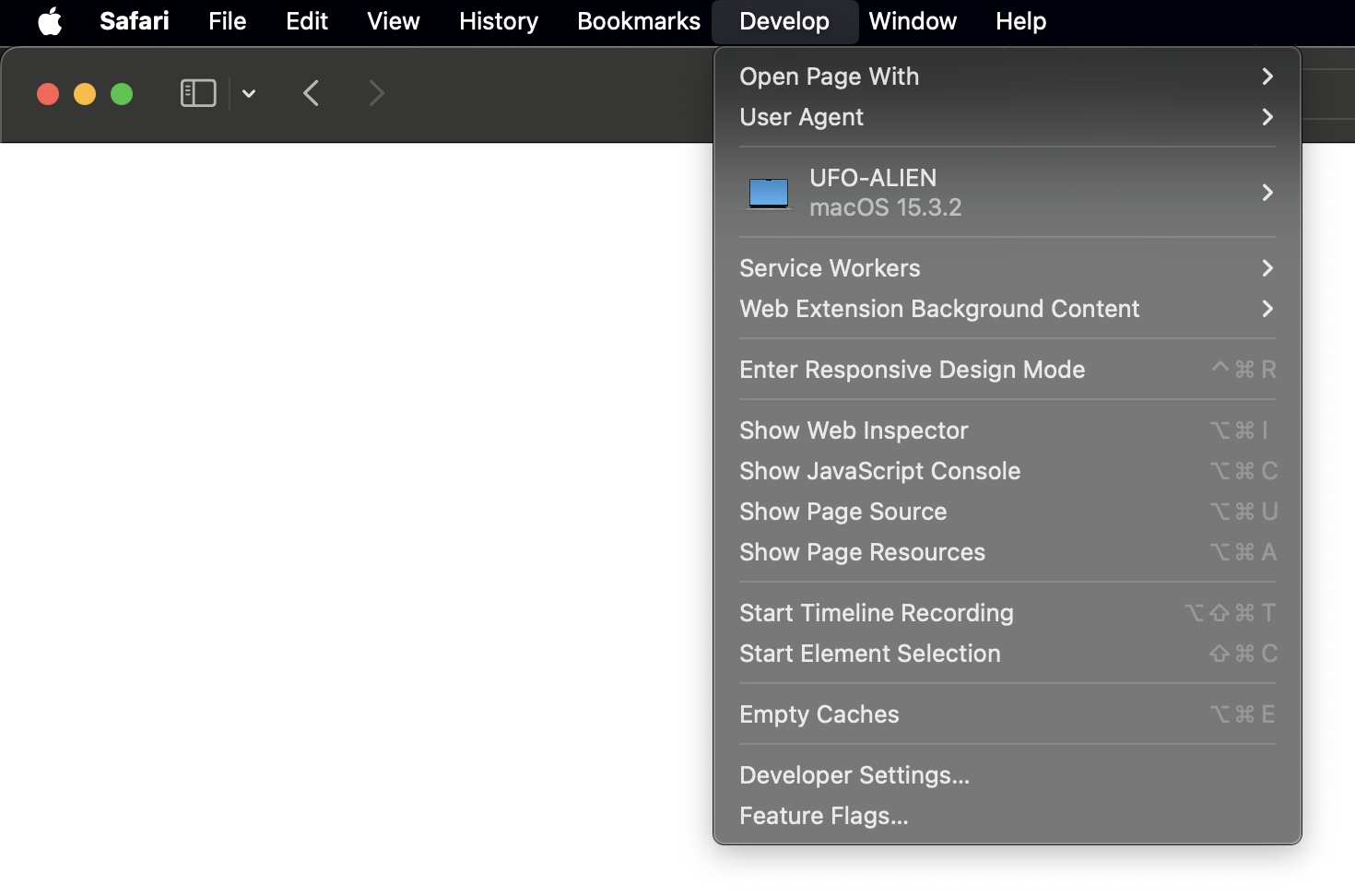
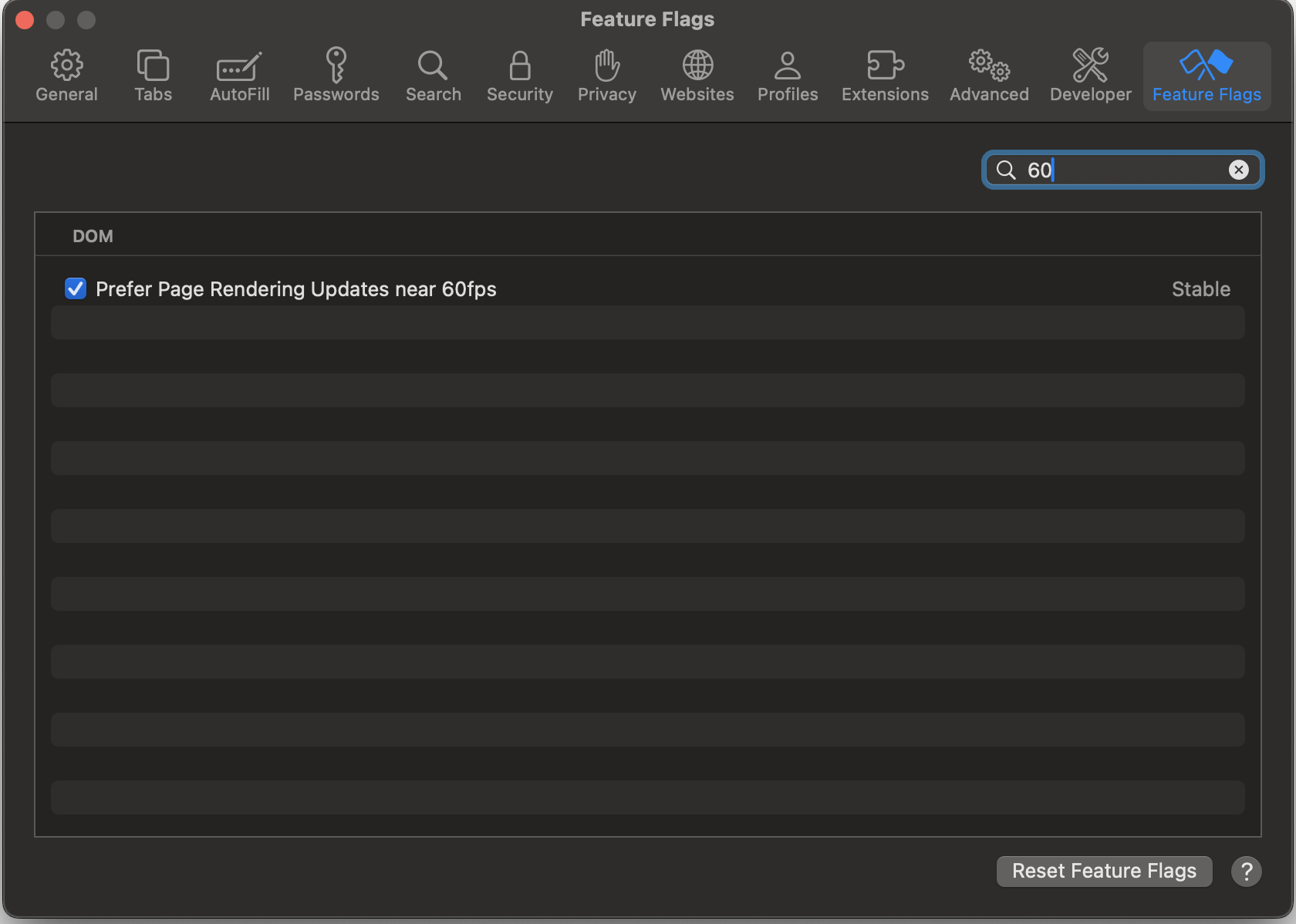
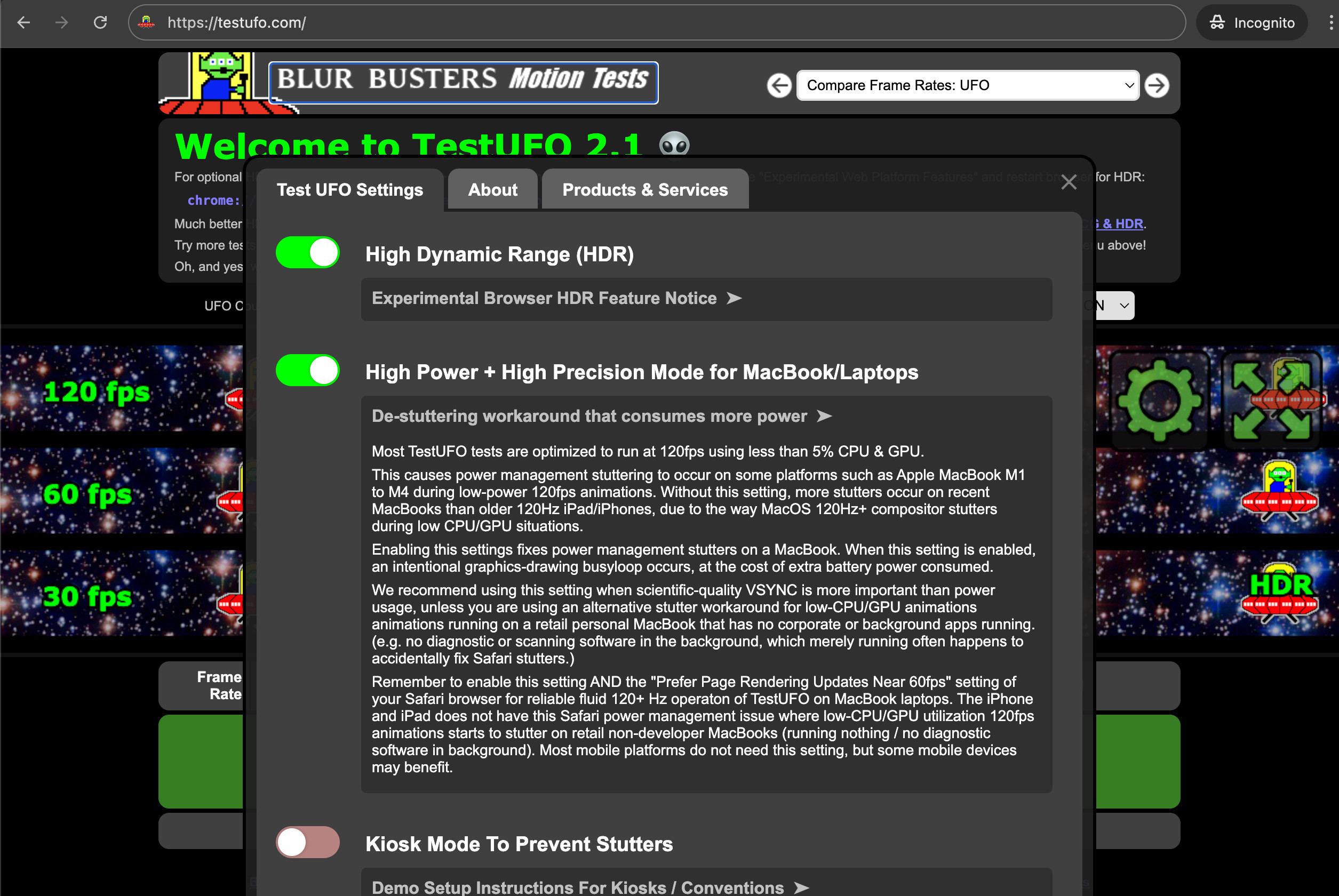
I have a 240hz screen... and the Mac mini m4 is able to handle that speed, but when I test it on the Test ufo it says 60hz. but I noticed this.. "For 120 Hz MacOS/iPadOS, disable 'Prefer Page Rendering Updates near 60fps'." but I have no idea how to disable prefer page.. any suggestions I would appreciate it.. all the settings on my Mac show 240hz but when I pay games and on your webpage it says 60hz
thanks
I have a 240hz screen... and the Mac mini m4 is able to handle that speed, but when I test it on the Test ufo it says 60hz. but I noticed this.. "For 120 Hz MacOS/iPadOS, disable 'Prefer Page Rendering Updates near 60fps'." but I have no idea how to disable prefer page.. any suggestions I would appreciate it.. all the settings on my Mac show 240hz but when I pay games and on your webpage it says 60hz
thanks