Page 1 of 1
60Hz AIO Monitor OC'd to 112Hz
Posted: 23 Mar 2026, 02:47
by MasonHZEverywhere
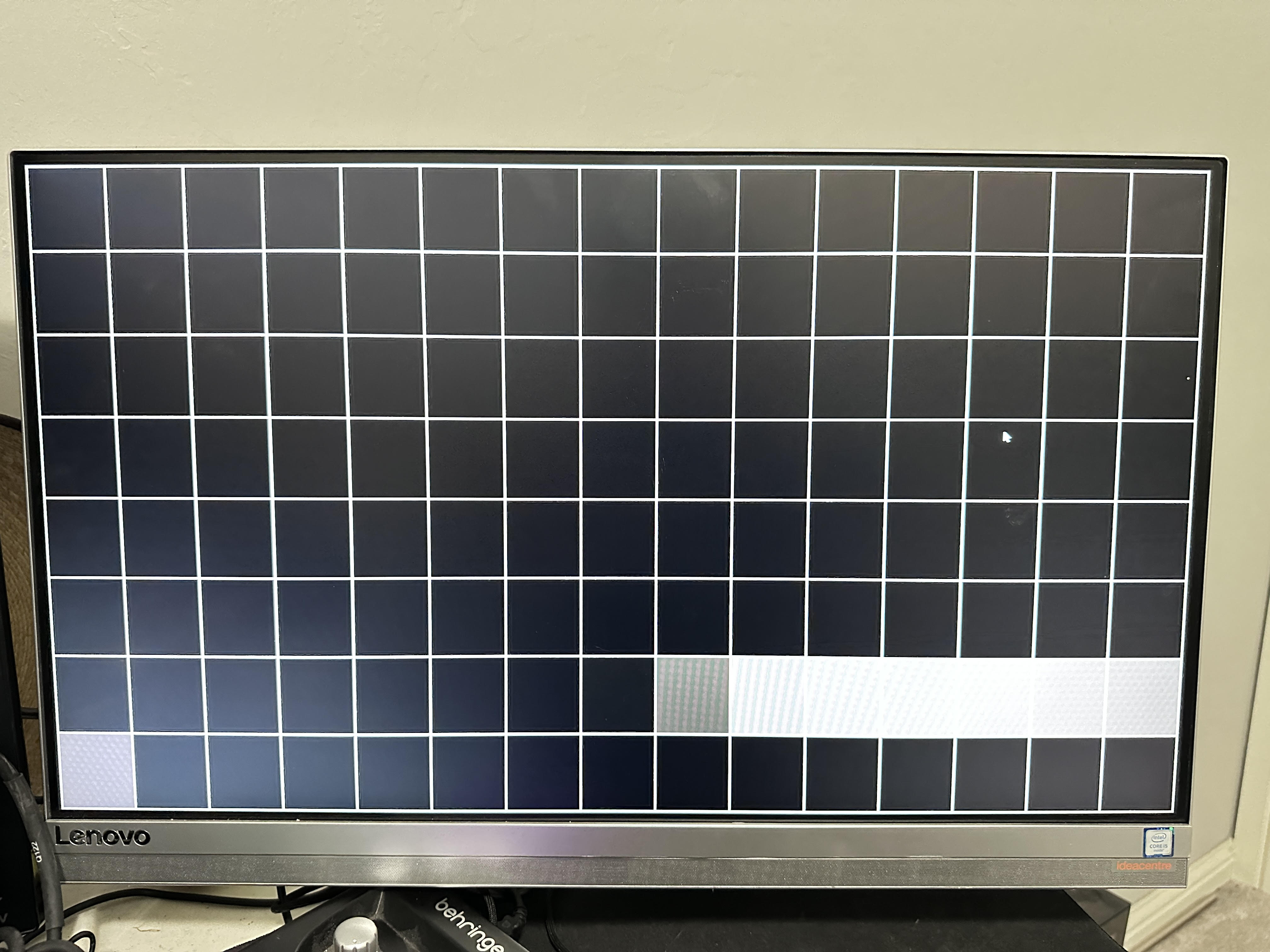
Basically the title. In between moves RN and all of my 'real' monitors are in storage, picked up this free monitor from work only to realize it was actually an AIO. Well I didn't need the AIO part of it, I have an older gaming PC not in storage (with a little 1060 6gb so I can play rocket and CS lol) so I decided to mess around with it and see if I could get a few more frames out of it.
Here are the specs:
60Hz Lenovo LENA500 LM230WF7 IPS from Q1 2016 --> 112Hz
Honestly, the monitor looks amazing. I've been gaming for almost 20 years and I can't notice any ghosting. It's extremely stable in games and I've had it running for a couple days. I'm really wondering if anyone has gotten these kind of results on panels outside of those Korean ones a few years back; either way, I'm going to enjoy my monitor until it burns out! THX!

Re: 60Hz AIO Monitor OC'd to 112Hz
Posted: 23 Mar 2026, 10:27
by RealNC
That's quite nice. Usually you can't drive them that high.
IPS panels became really good in 2015. The 165Hz g-sync IPS from 2015 I had before (which finally died in 2024) had no visible ghosting either.
Re: 60Hz AIO Monitor OC'd to 112Hz
Posted: 26 Mar 2026, 17:17
by Chief Blur Buster
Compliments on pretty nice overclock margins!
And the pixel response, while not perfect, is faster than some native 120Hz screens I've seen as evidence by only one grey square leading/trailing. Slow GtG usually creates 2-3 leading/trailing midtone squares.
You might want to use reduced porches/sync to see if you can edge that to 115Hz or even (gasp) 120Hz. Basically smaller Porches and Sync numbers in a custom resolution utility. Try reducing the horizontals first (porches first, then sync), then try reducing the verticals (porches then sync).