Question: Input Lag Gradient Effects of Top/Center/Bottom
Posted: 18 Jan 2018, 17:09
So I test a lot of monitors as it is my fav piece of hardware. I pursue the lowest possible input lag experience aswell. Im very sensitive to it and in blind tests I could even spot 5ms differences.
There is something I recently noticed while testing gsync panels, and how they differ to non gsync, even with gsync disabled.
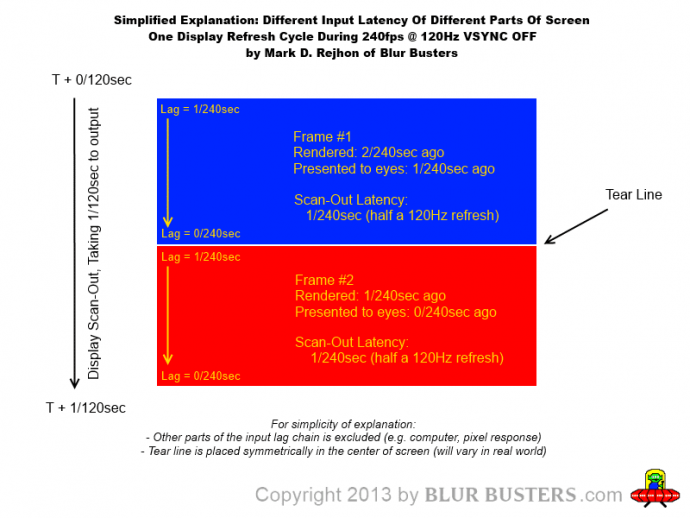
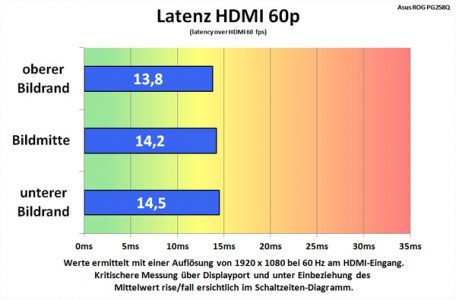
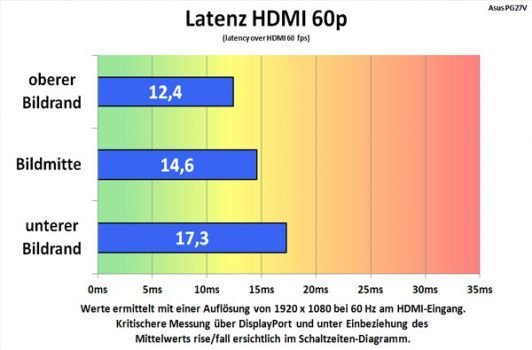
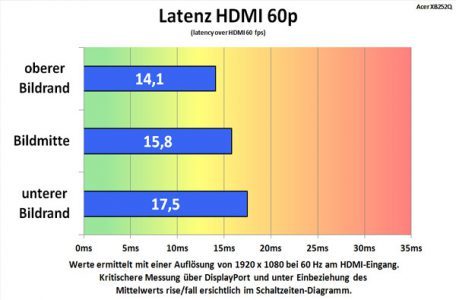
First of all I noticed on every review about input lag with leo bodnar on gsync monitors, that the 3 lines used (top, middle and bottom) are very close to each other! For example Asus PG258q has 14ms, 14,2ms, 14,4ms. While on a non gsync monitor it is usually like 3ms, 10ms,17ms.
Get my idea? So what does that mean? Gsync monitors have constant input lag value across the entire panel? 14ms at the lower line is the lowest value I ever seen, but 14 on top and middle line is pretty bad.
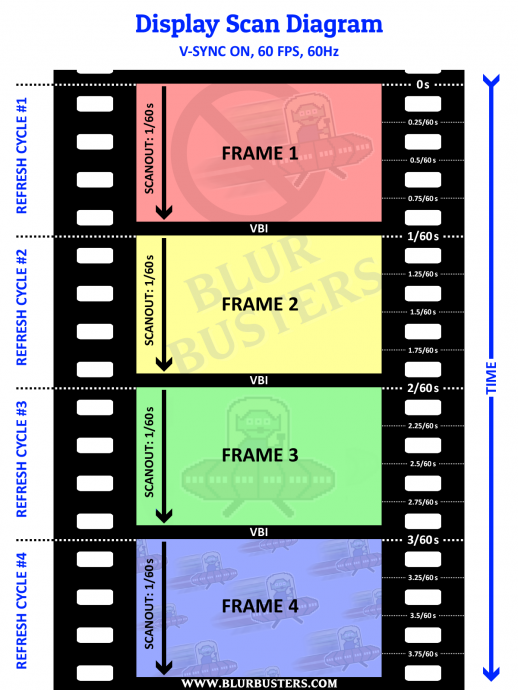
However now starts the intetesting part. Testing asus pg258q at 60hz I notice something weird. It feels more floaty when I send a controller input, but seems consistent, I dont know how to explain the feel. A non gsync panel feels more responsive but the image seems to be displayed in a different way.
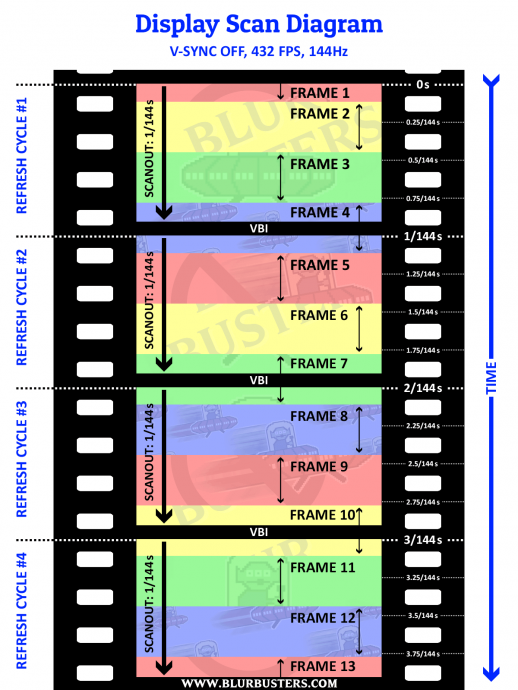
On gsync monitors like asus pg258q on both console or pc 240hz I notice the image a lot smoother!! Consistent and no transitions/blur. Idk how to explain, sorry for my lack of technical terms. I just don't understand this particular aspect of gsync panels.
Any idea?
There is something I recently noticed while testing gsync panels, and how they differ to non gsync, even with gsync disabled.
First of all I noticed on every review about input lag with leo bodnar on gsync monitors, that the 3 lines used (top, middle and bottom) are very close to each other! For example Asus PG258q has 14ms, 14,2ms, 14,4ms. While on a non gsync monitor it is usually like 3ms, 10ms,17ms.
Get my idea? So what does that mean? Gsync monitors have constant input lag value across the entire panel? 14ms at the lower line is the lowest value I ever seen, but 14 on top and middle line is pretty bad.
However now starts the intetesting part. Testing asus pg258q at 60hz I notice something weird. It feels more floaty when I send a controller input, but seems consistent, I dont know how to explain the feel. A non gsync panel feels more responsive but the image seems to be displayed in a different way.
On gsync monitors like asus pg258q on both console or pc 240hz I notice the image a lot smoother!! Consistent and no transitions/blur. Idk how to explain, sorry for my lack of technical terms. I just don't understand this particular aspect of gsync panels.
Any idea?