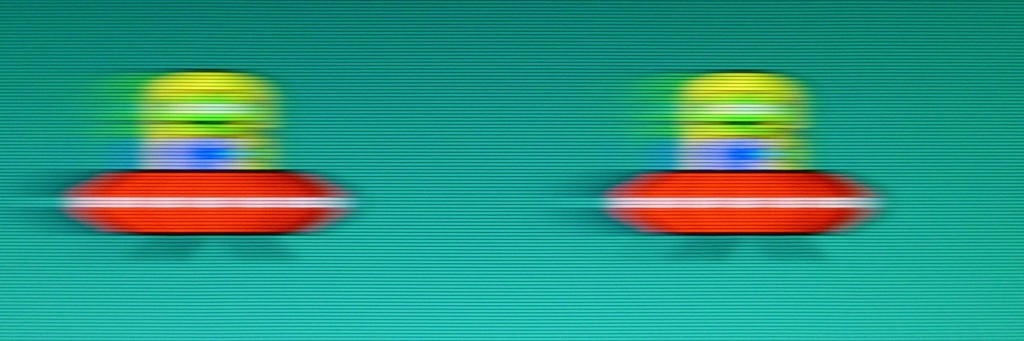
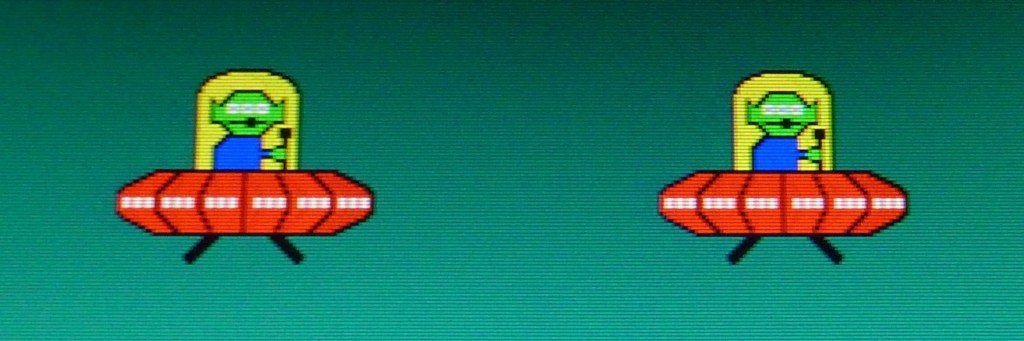
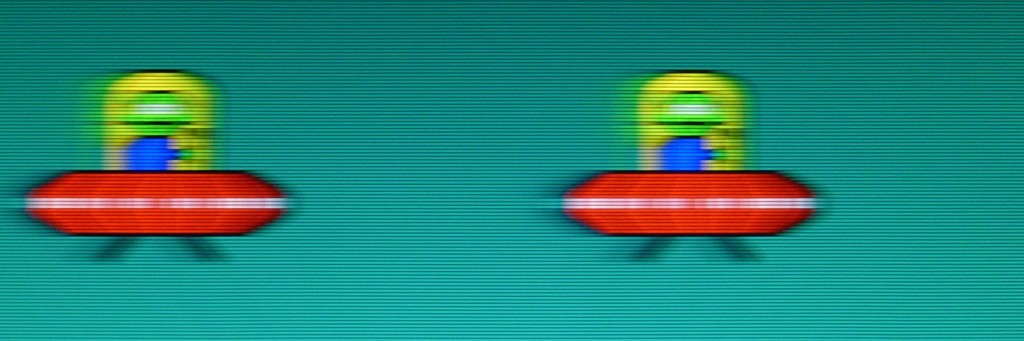
duna wrote:I currently have TFT 5ms and I've tried a 1 ms both are horrible blur when move(I thought it depended on the response time). Sometimes i use my old CRT LG F900P
1ms GtG transition is not the same thing as 1ms persistence (more important for blur).
Animation of motion blur from persistence --
http://www.testufo.com/eyetracking
Pixel transition speed (GtG) is not the cause of motion blur on modern LCDs, as explained in the TestUFO animation.
Shortening persistence is achieved by increasing refresh rate, or by adding black gaps between refreshes (black frames, flicker, strobing, pulsing, or other form of light modulation)
Animation of black frame insertion to reduce motion blur --
http://www.testufo.com/blackframes
However, hardware-based motion blur reduction helps (strobe backlight)
See the
LightBoost testimonials / rave reviews, if you want the CRT motion effect on a flat panel LCD. It is the real thing,
LightBoost media coverage, and thousands of happy LightBoost users exist -- people who were sensitive to motion blur above else, and really want the CRT fast-motion effect. Also look at the customer reviews of the ASUS VG248QE on Amazon, many of them talk about LightBoost. That said, LightBoost is first-generation and there are now superior strobe backlights that are newer and better than LightBoost.
Look for a monitor that has a strobe backlight mode, such as LightBoost, Turbo240, ULMB, or BENQ Blur Reduction. These new technologies allow you to get the "CRT perfectly clear motion" effect on an LCD display. LightBoost is the oldest one of the bunch (2-3 year old) while ULMB, Turbo240 and BENQ Blur Reduction is newer with better color quality.
See the
Official 120Hz Monitors List, and you will see the various motion blur reduction backlight technologies available.
duna wrote:2-my old games i can run 120 fps but bf4 and cod bo2 i fix fps to 60fps (not have constant 120 fps with my gtx760).
If monitor set to 120Hz and game run in windowed mode and fix to 60fps work lightboost?
For the CRT motion effect, you want framerate == refreshrate == stroberate.
Most strobed LCD monitors strobe only at 100Hz and up. However, if you want a lower framerate and a lower stroberate, you could seek ULMB (minimum 85Hz strobe rate) or BENQ Blur Reduction (minimum 60Hz strobe rate). This will give you the CRT effect, for the same reason why CRT 60fps@60Hz has less motion blur than non-LightBoosted LCD 120fps@120Hz.
Some people hate the flicker at 60Hz, while others do not mind it, but you get the full flexibility to choose a higher refresh rate (e.g. 75Hz, 85Hz, 100Hz) to meet a balance between flicker tolerance versus GPU horsepower when trying to achieve framerate == refreshrate == stroberate. 100Hz+, however, is highly recommended by most, but regardless, you will get the "CRT effect" at any framerate, as long as you match framerate == refreshrate == stroberate. (LightBoost is limited; it is unable to strobe slower than 100Hz like some of the newer strobe backlight brands).
So you really want one of the four major strobe backlight brands (LightBoost, Turbo240, ULMB, or BENQ Blur Reduction) if you're seeking the "CRT perfectly sharp motion effect" with super-sharp graphics in fast motion tests (e.g.
http://www.testufo.com/photo). If you get a BENQ Z-Series monitor, make sure you get Version 2 to be compatible with
http://www.blurbusters.com/strobe-utility
Cheers