MajorPainTheCactus wrote: ↑21 Feb 2022, 16:12
There is definitely a clarity to the black lines on a CRT that I don't see on a sample and hold display. What is it that is causing this? As I say this seems to be the opposite effect of increasing refresh rate I.e improving the clarity of the scanlines themselves - at the expense of the black between them. I'm assuming its purely to do with the beam scanning?
I'm assuming you can get a similar effect by having many virtual beams scanning different lines? I'm guessing back light strobing would help but it doesn't seem to. Maybe I need an OLED backlight strobe?
Your new post is very confusing. Without a pursuit-camera video of the effect you're describing.
The answer may be yes or no depending on what you're trying to explain -- now that I'm not sure what you're trying to explain.
A video is worth a thousand words. Can you use a smartphone handwave pursuit camera to describe what your eyetracking is doing, on CRT versus LCD?
In a shotgun fashion (because I am not sure which of the multiple possibilities you are describing), I will try to describe multiple spatial and temporal effects that is at play:
As you already learned, displays behave differently for stationary eyes versus moving eyes. To help further, I need more description of the important scientific input variables (eye motion, display motion) necessary for me to accurately answer you, so I have one important question:
QUESTION
There are four situations where displays look different:
1. Stationary eyes, stationary image
2. Stationary eyes, moving image
3. Moving image, stationary eyes
4. Moving image, moving eyes
Which of the four situations apply to your blurring problem?
Can you please describe when your problem occurs? Only (4) or (2)+(4), or (2)+(3)+(4)?
This will instantly activate my Einstein Brain and give you an accurate explanation.
Long term, the only fix-all is accurate CRT beam emulation to fix (1)+(2)+(3)+(4) simultaneously, while having the necessary nits (CRT beams can exceed 10,000 nits) and the ability to simulate phosphor fade in a subrefresh manner. Full software control of subrefresh behaviour will require ultrahigh refresh rates.
But one of the four items above may be fixable on your Eve monitor, DEPENDING on how to answer the above important question. Is your problem (1) and/or (2) and/or (3) and/or (4)? There can be multiple things occuring simultaneously.
Item 1: Stationary eyes, stationary image
This is a 100% spatial problem and has nothing to do with sample and hold. There's no temporal behaviour (time-based behavior) when we're dealing with static eyes and static images. And thus sample-and-hold (a temporal technology) is completely non-applicable here. So I will describe another cause (to interrupt a wild goose chase to a red herring).
Problems with black gaps between scanlines, relating to this item has nothing to do with sample and hold
Now if you subsequently say the problem is (1) stationary eyes, stationary images, then it has NOTHING to do with sample-and-hold, because:
(A) CRT electron beam is over 10,000 nits for a brief instant (that's why it overexposes high speed video frames).
Emulation of CRT will fail to do this, until you have access to a 10,000+ nit digital display
(B) CRT phosphor dots are sometimes over 1000 nits each average, to compensate for the black gaps between scan lines. A lot of the surface of a tube is completely black, so to get 200 nits with only 25% phosphor coverage, requires 800-nit phosphor dots.
Emulation of CRT will fail to do this, until you have access to a high-nit display, especially one that can do good blacks
(C) The resolution of 4K displays is not always even enough to accurately simulate phosphor dots, unless you're simulating a very low resolution CRT.
One workaround for this is to intentionally configure your shader to blur the phosphor dots so they fill more of the black space around them. The blurring makes the image brighter (to compensate for LCD's inability to reach 10,000 nits), but the blurring action can make the gaps between phosphor dots smaller.
For item (1), this science has NOTHING to do with sample and hold.
Sample and hold comes into play only for items (2),(3),(4).
The lack of nits for each pixel (between black gaps) is why CRT filters look very dull on most LCDs -- the individual LCD pixels are not made as bright as their original CRT counterparts to compensate for the black gaps. Also, contrast ratio of LCDs is lower (1000:1) so this adds further to the washed-out-colors-look of may CRT filters.
So it's a shader
fine-tuning compromise, e.g. color saturation adjustment, pixel erode/blurring algorithms (reduce black gaps in order to make phosphor dots bigger to keep up colorfulness/brightness). But too much blurring and you're overlapping the primary colors -- and then color saturation drops like a rock with CRT filters in order to increase brightness (because you can't do 10,000 nit pixels yet on desktop displays). This is simply caused by other problems than sample-and-hold, so "sample-and-hold" would be a mis-blame if your main issue is #1. It's a 100% spatial problem, not a temporal problem (not sample and hold).
Item 2: Stationary eyes, moving image
In this situation, motion blur doesn't apply here. You do get stroboscopic effects, aka
The Stroboscopic Effect of Finite Frame Rates. 60Hz CRTs and 60Hz sample-and-hold has very similar stroboscopic effects for stationary-eye moving-image situations. Also neither situation generates motion blur. So this item is probably not applicable to your situation.
But it's important to properly understand the science of item #2, at least in an understanding of creating a temporal component of a CRT shader.
Item 3: Moving eyes, stationary image
Persistence always applies here. Stationary pixels are blurred across your moving retinas, in accordance to Blur Busters Law (1ms of sustained pixel visibility time translates to 1 pixel of eye-tracking motion blur per 1000 pixels/sec motion).
This applies to both scaled and unscaled pixels. That's why motion blur scales up proportionally if you add 200% browser zoom to
www.testufo.com -- the blur trail pixels size stays relative to the original size of the pixels (scaled). So Blur Busters Law can be kinda applied to the upscaled pixels or upscaled scanlines.
So if you're eyetracking upwards or downwards, the scanlines will vertically blur filling the gaps. Like a vertical version of
www.testufo.com/eyetracking -- you could rotate your LCD display 90 degrees or tilt your head 90 degrees. The scanlines gets eyetracking-blurred during vertical eye movements, filling the black gaps and diminishing the CRT-scanline-feel.
Another point of view: Black gaps between scanlines are always stationary, so from the POV of black gaps, it's a "stationary image" embedded between the moving imagery within the visible scanlines.
Item 4: Moving eyes, moving image
Moving images still have static pixels because it's a series of static images to simulate a moving images. Human eyes are analog, but the frames are stepping. Your eye position is in a different position at the end of a refresh cycle (T+1/60) than beginning of refresh cycle (T+0/160). But the static frames of a refresh cycle are static for a full 1/60sec. So you get the equivalent of 1/60sec motion blur.
[url=
https://blurbusters.com/wp-content/uplo ... hutter.png]
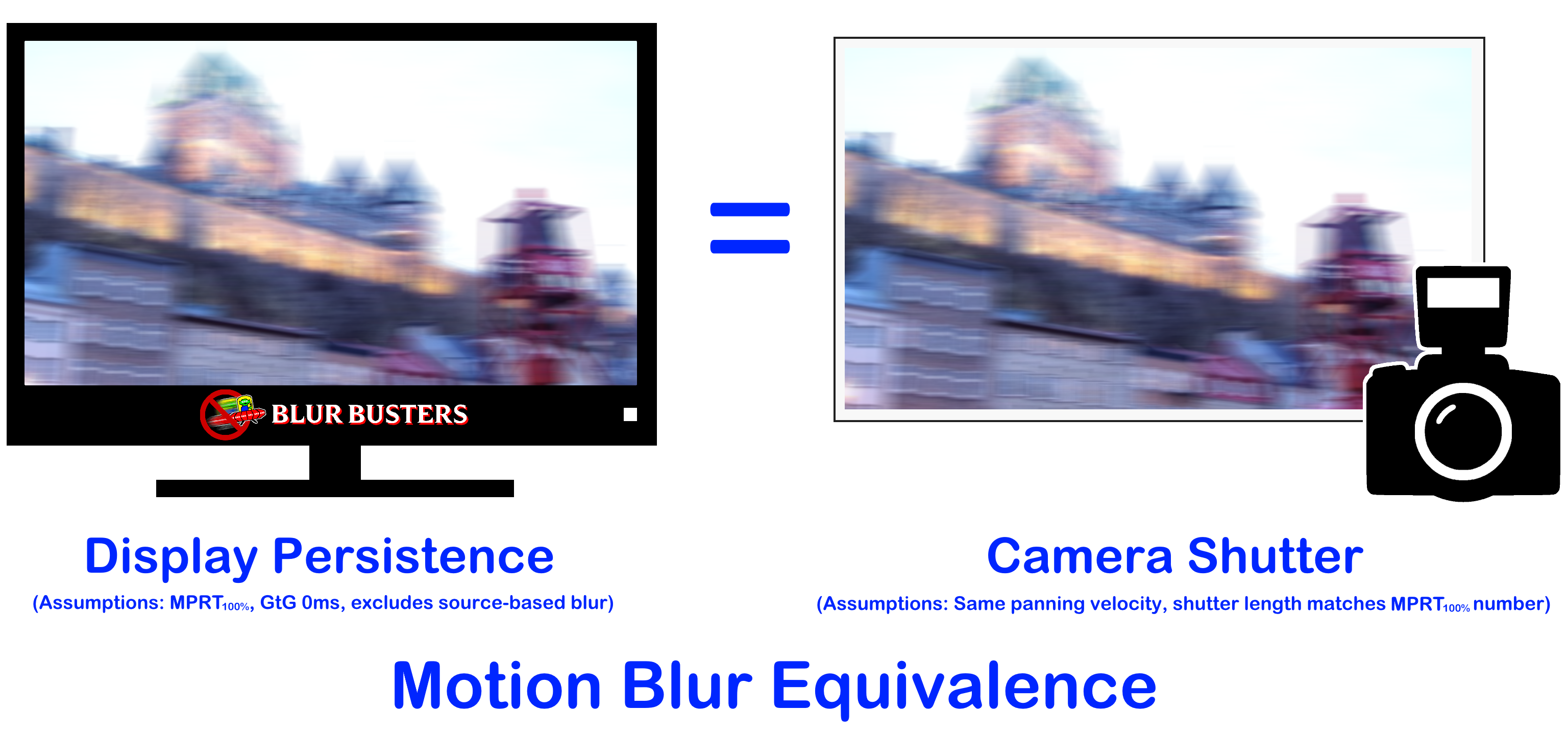
This is why doubling Hz halves browser scrolling motion blur. On a 240Hz display, browser scrolling motion blur is 1/4th of a 60Hz sample and hold, and on a 480Hz display, browser scrolling is 1/8th of a 60Hz sample and hold. It follows Blur Busters Law.
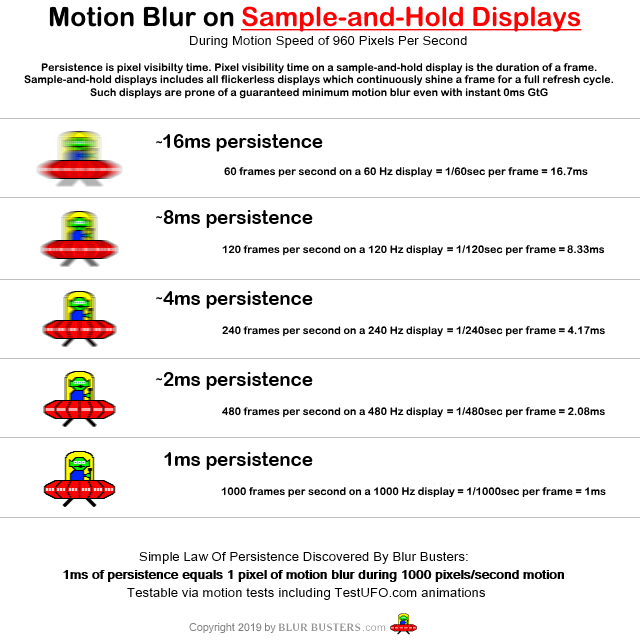
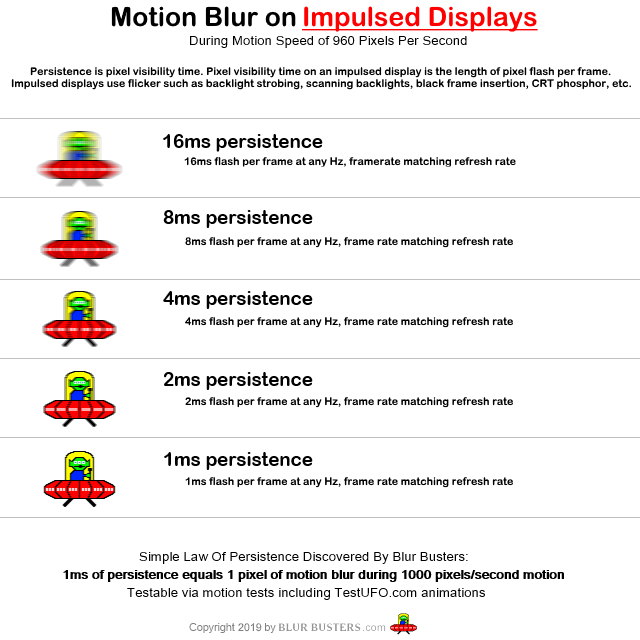
To turn sample and hold into an impulsed display requires software BFI, but software BFI is limited by the refresh cycle granularity. So any subrefresh BFI or rolling scan BFI (like emulating a CRT electron beam),
blur reductions is limited by the shortest possible sample and hold refresh cycle you can achieve on your display.
For an Eve Spectrum 4K144, with strobing disabled, you can't get less than 1/144sec motion blur, no matter what kind of CRT simulation algorithm you invent. This will be a laws of physics that affects items (3) and (4) above.
If you can describe if your problem is item (1) and/or (2) and/or (3) and/or (4) -- I can help better explain what your specific limitation is. Also, in my past experience, CRT filters simultaneously have issues with (1) and with (3)+(4) for completely different reasons. (2) is a generally a non-issue in faithfulness of emulation.
Item (1) is spatial only and is caused by lack of single-pixel brightness headroom needed (CRT beams can reach >10,000), while (3)+(4) are temporal and definitely related to the sample-and-hold nature.
Black gaps are a "stationary image" so item (1) and (3) are the most applicable. However, the picture data between the black lines are in motion and will create concurrent arifacts/effects.
The Four Items To Separately Study The Display Science Of
1. Stationary eyes, stationary image
2. Stationary eyes, moving image
3. Moving eyes, stationary image
4. Moving eyes, moving eyes
Some of them require unrelated, independent optimizations.
So you may have more than 1 problem / more than 1 cause.
Only way to bruteforce a fix for all 1+2+3+4 concurrently using only software would be an ultrabright 1000Hz+ display capable of multithousand nits, so you have lots of nit headroom to keep phosphor dots small spatially (improve spatial look) + lots of nit headroom to keep phosphor dots pulsing briefer (improve temporal look). But we don't have 10,000+ nit HDR desktop displays at this time.
So what we're doing today will necessarily be a compromise, depending on your spatial priorities and your temporal priorities.
So I've shotgunned a very broad answer to your question -- did I successfully land on an answer to what you may have been asking?