Asus XG27AQDMG Discussion

High Hz on OLED produce excellent strobeless motion blur reduction with fast GtG pixel response. It is easier to tell apart 60Hz vs 120Hz vs 240Hz on OLED than LCD, and more visible to mainstream. Includes WOLED and QD-OLED displays.
User avatar
RealNC
Site Admin
Posts: 4588
Joined: 24 Dec 2013, 18:32
Contact:

Re: Asus XG27AQDMG Discussion

Post by RealNC » 16 Jan 2026, 13:31

Shifroval wrote:
16 Jan 2026, 12:00
Speaking about windows, do we still need to do this?
https://github.com/dylanraga/win11hdr-s ... mma2.2-icm
Now that you suggest displaying sdr inside hdr container I remembered it.
If you want correct gamma for the desktop as well, then yes. Microsoft will probably never add a 2.2 gamma mode. They invented sRGB gamma (together with HP) and will not support anything else. It's a corporate politics decision, not a technical one.

Note that if you use that ICC profile, you must not use SpecialK or Reshade for this.

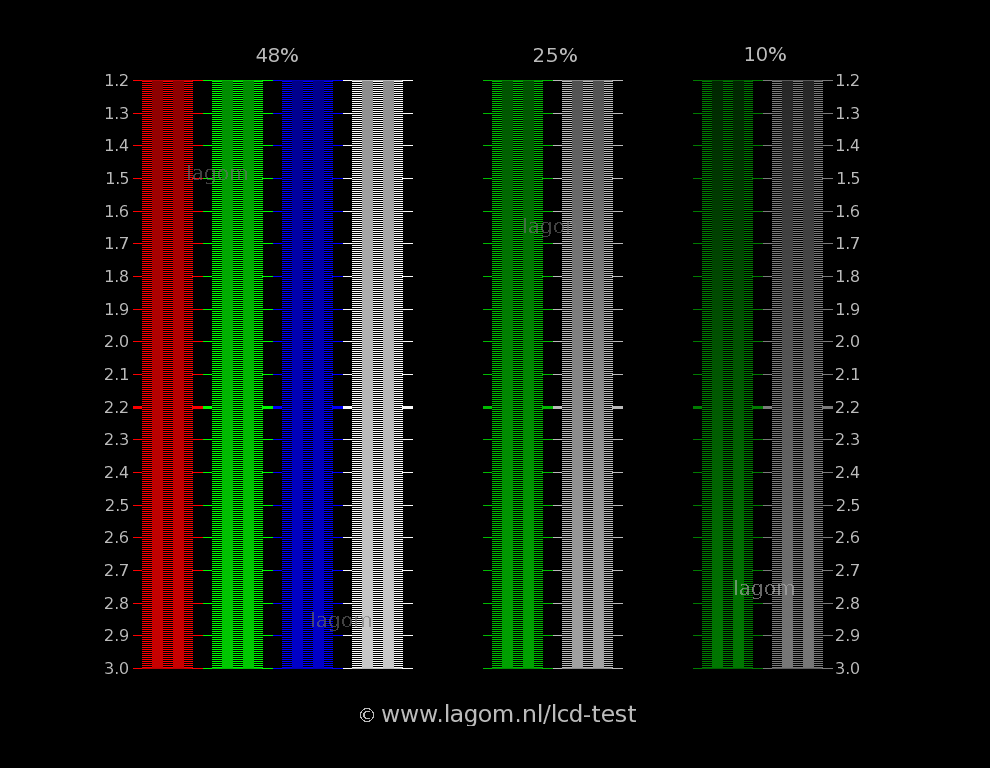
With that being said, it's apparently impossible to get true 2.2 gamma in HDR mode. It gets close, but the lagom gamma test fails for me in some of the colors:

http://www.lagom.nl/lcd-test/img/gamma-test-2.png

The monitor only tracks SDR gamma correctly in SDR mode.
SteamGitHubStack Overflow
The views and opinions expressed in my posts are my own and do not necessarily reflect the official policy or position of Blur Busters.

User avatar
RealNC
Site Admin
Posts: 4588
Joined: 24 Dec 2013, 18:32
Contact:

Re: Asus XG27AQDMG Discussion

Post by RealNC » 19 Jan 2026, 07:07

I made a new thread on the asus forums for the HDR color issue:

https://rog-forum.asus.com/t5/gaming-mo ... -p/1135477

If several people report it there, maybe they'll fix it.
SteamGitHubStack Overflow
The views and opinions expressed in my posts are my own and do not necessarily reflect the official policy or position of Blur Busters.

Pointsintostrength
Posts: 11
Joined: 06 Jan 2025, 09:39

Re: Asus XG27AQDMG Discussion

Post by Pointsintostrength » 19 Jan 2026, 08:55

The six axis toggle does help but it still looks a bit too yellow/orange to me. I feel like I'm always tinkering with this monitor. So I've decided to upgrade my TV and just use my current LG C2 as a monitor.

User avatar
Discorz
VIP Member
Posts: 1138
Joined: 06 Sep 2019, 02:39
Location: Europe, Croatia
Contact:

Re: Asus XG27AQDMG Discussion

Post by Discorz » 19 Jan 2026, 13:14

RealNC wrote:
30 Jul 2024, 06:46
Banding/posterization issues: 6-bit temporal dithering helps a lot. See "Update 4" below.

(6-bit dither helps with banding. See "update 4" below.)

Update 4
Darker color shades can exhibit banding/posterization. The lower the refresh rate (including low FPS VRR at 240Hz), the more visible the issue becomes. Using 6-bit temporal dithering helps quite a bit. This includes 10-bit HDR mode. You can use novideo_srgb to set 6-bit temporal dither in the "advanced" settings of novideo_srgb. You can also set it in Special K, if you use that (and it's a permanent global setting that applies to everything, just like with novideo_srgb.)

Do not enable the sRGB color clamp checkbox in novideo_srgb for HDR! Only enable dithering.

This HDR gradient test improves by a lot with 6-bit temporal dither: https://www.youtube.com/watch?v=PoMPrr-Uefs
Recently I had a chance to try out the LG 27GX790A WOLED, but ended up returning it due to banding/posterization and other issues. Now after seeing your post I wonder how it would've performed with 6-bit temporal dither tweak. Can you take few pictures of your panel using this gradient test pattern in good old SDR? It would be interesting to see photos of:
1) factory default settings
2) your personal improved OSD settings
3) your personal improved OSD settings + 6-bit dither tweak
4) other settings you find helpful/interesting
Make sure camera exposure is not clipping and consistent, and the room is dark.

Images bellow show what I was dealing with - black crush, missing shades, abrupt shade change. By shifting the whole spectrum down via OSD by couple RGBs I managed to work around the black crush issue. How OSD settings affect shades is nicely demonstrated in this video. But other flaws were unavoidable. Especially the "no shades" part. The spectrum can be moved further down just until the "abrupt shade change" but that came at the cost of considerably raised blacks and overbrightened gamma. Did you come across similar issues?

27GX790A WOLED
Image

left IPS, right WOLED
Image

left IPS, right WOLED
Image

More uploads here:
https://www.reddit.com/r/OLED_Gaming/co ... are_button
https://ibb.co/album/PcVv9p/sub



User avatar
RealNC
Site Admin
Posts: 4588
Joined: 24 Dec 2013, 18:32
Contact:

Re: Asus XG27AQDMG Discussion

Post by RealNC » 20 Jan 2026, 05:02

Discorz wrote:
19 Jan 2026, 13:14
Recently I had a chance to try out the LG 27GX790A WOLED, but ended up returning it due to banding/posterization and other issues. Now after seeing your post I wonder how it would've performed with 6-bit temporal dither tweak. Can you take few pictures of your panel using this gradient test pattern in good old SDR? It would be interesting to see photos of:
1) factory default settings
2) your personal improved OSD settings
3) your personal improved OSD settings + 6-bit dither tweak
4) other settings you find helpful/interesting
Make sure camera exposure is not clipping and consistent, and the room is dark.
Shitty camera from a cheap Nokia phone from 2018 :P

(These are on Linux, because novideo_srgb stopped working on recent Windows Nvidia drivers.)

No dither, display in wide color gamut mode, sRGB color clamp through the video driver:
Default.jpg
Default.jpg (1.58 MiB) Viewed 11293 times

6-bit temporal dither, display in wide gamut mode, sRGB color clamp through the video driver:
6bit.jpg
6bit.jpg (1.95 MiB) Viewed 11293 times

6-bit temporal dither, display in sRGB color mode:
sRGB_clamp.jpg
sRGB_clamp.jpg (2.02 MiB) Viewed 11293 times

Using the sRGB mode of the monitor itself makes 0-8 completely black. Leaving it wide gamut and doing the sRGB clamp though the driver only has 0-4 completely black. The 6-bit dither has a weird effect. It has 0 completely black, 1, 2 and 3 visible, and 4 completely black. So it has its own issues :P
SteamGitHubStack Overflow
The views and opinions expressed in my posts are my own and do not necessarily reflect the official policy or position of Blur Busters.

User avatar
Discorz
VIP Member
Posts: 1138
Joined: 06 Sep 2019, 02:39
Location: Europe, Croatia
Contact:

Re: Asus XG27AQDMG Discussion

Post by Discorz » 20 Jan 2026, 15:42

Thanks. I see your woled also crushes some black, but the gradients appear much smoother compared to mine. This makes it much more manageable I suppose. Interesting! It remains a mystery why woleds handle darks unreliably.

User avatar
RealNC
Site Admin
Posts: 4588
Joined: 24 Dec 2013, 18:32
Contact:

Re: Asus XG27AQDMG Discussion

Post by RealNC » 21 Jan 2026, 07:42

Discorz wrote:
20 Jan 2026, 15:42
Thanks. I see your woled also crushes some black, but the gradients appear much smoother compared to mine. This makes it much more manageable I suppose. Interesting! It remains a mystery why woleds handle darks unreliably.
It looks fine to me when there's no continuous brightness changes. But when the content has a fade-to-black transition, the display behaves completely different to one that uses a backlight. Not everything on the screen is fading to black at the same rate, making it look weird. 6-bit temporal dither helps a little with it, but does not eliminate it completely.

I don't know if this is something all OLEDs suffer from or just this particular panel type.
SteamGitHubStack Overflow
The views and opinions expressed in my posts are my own and do not necessarily reflect the official policy or position of Blur Busters.

WDeranged
Posts: 12
Joined: 24 Dec 2023, 08:56

Re: Asus XG27AQDMG Discussion

Post by WDeranged » 29 Jan 2026, 15:36

After beating my head against this panel for a whole year I've replaced it with an XG27ACDMS. Almost every problem I had is gone.

Stable gamma at different refresh rates.
Excellent black levels, very little crush.
Vastly, vastly better grey uniformity. No more of that dirty crosshatched pattern.
No excruciating ABL dimming in HDR games.
SRGB mode that just works, no need for novideo_srgb.
VRR flicker is practically gone. It can still flicker but it's hugely reduced in severity.

I'm now satisfied owning an OLED monitor.

User avatar
RealNC
Site Admin
Posts: 4588
Joined: 24 Dec 2013, 18:32
Contact:

Re: Asus XG27AQDMG Discussion

Post by RealNC » 29 Jan 2026, 17:10

WDeranged wrote:
29 Jan 2026, 15:36
After beating my head against this panel for a whole year I've replaced it with an XG27ACDMS. Almost every problem I had is gone.

Stable gamma at different refresh rates.
Excellent black levels, very little crush.
Vastly, vastly better grey uniformity. No more of that dirty crosshatched pattern.
No excruciating ABL dimming in HDR games.
SRGB mode that just works, no need for novideo_srgb.
VRR flicker is practically gone. It can still flicker but it's hugely reduced in severity.

I'm now satisfied owning an OLED monitor.
No reviews whatsoever on this one anywhere :?
SteamGitHubStack Overflow
The views and opinions expressed in my posts are my own and do not necessarily reflect the official policy or position of Blur Busters.

WDeranged
Posts: 12
Joined: 24 Dec 2023, 08:56

Re: Asus XG27AQDMG Discussion

Post by WDeranged » 29 Jan 2026, 17:25

RealNC wrote:
29 Jan 2026, 17:10
No reviews whatsoever on this one anywhere :?
Yeah it's a bit of a mystery monitor. I got it from Amazon UK. I think it's probably using the same guts as another one of their monitors but they ripped out the rear RGB and USB hub to get the price down.

I took a gamble and I still can't quite believe how much of an improvement it is. VRR flicker and nasty grey uniformity were the things things I really hated about the XG27AQDMG.

This just feels like a proper monitor while the XG27AQDMG felt like a beta test.

Post Reply