
Does the Pulsar monitor allow for brightness changes once Pulsar is activated?I noticed in videos it gets noticabely brighter when Pulsar is turned on.
Just wanted to make sure I can reduce the brightness a bit without effecting Pulsar as I like to have my monitor on the darker side.
NVIDIA G-Sync Pulsar monitor - Asus ROG Strix XG27AQNGV
-
wiseude
- Posts: 57
- Joined: 27 Jan 2019, 12:42
-
mawi
- Posts: 93
- Joined: 03 Jan 2026, 08:10
- Location: Palatine, Germany
Re: NVIDIA G-Sync Pulsar monitor - Asus ROG Strix XG27AQNGV
Yes you can increase and decrease brightness with pulsar on.
7800X3D, RTX 5070 Ti, XG27AQNGV Pulsar
-
wiseude
- Posts: 57
- Joined: 27 Jan 2019, 12:42
Re: NVIDIA G-Sync Pulsar monitor - Asus ROG Strix XG27AQNGV
Pulled the trigger.Bought it with a USB A to Micro USB 2.0 aswell.
Let's pray it comes with no defects

-
Discorz

- VIP Member
- Posts: 1157
- Joined: 06 Sep 2019, 02:39
- Location: Europe, Croatia
- Contact:
Re: NVIDIA G-Sync Pulsar monitor - Asus ROG Strix XG27AQNGV
Kudos for the effort guys!
I stretched/distorted and brightened edgintheledge's photos for easier direct comparison to RTINGS old photos. See below.
Judging from photos alone, MPRT in 1.1.10 is mostly the same. There is some improvement above 240 fps. What was more eye-catching is less double imaging. 240 or 120 fps images are good examples (areas around letters "G" and "S" and inside MPRT indicator strip). However, I'm not sure if they really improved it, or this is related to fps stickiness, pacing or something else. Images having different exposures could also play a role.
Pulsar @360Hz (fw 1.1.10):
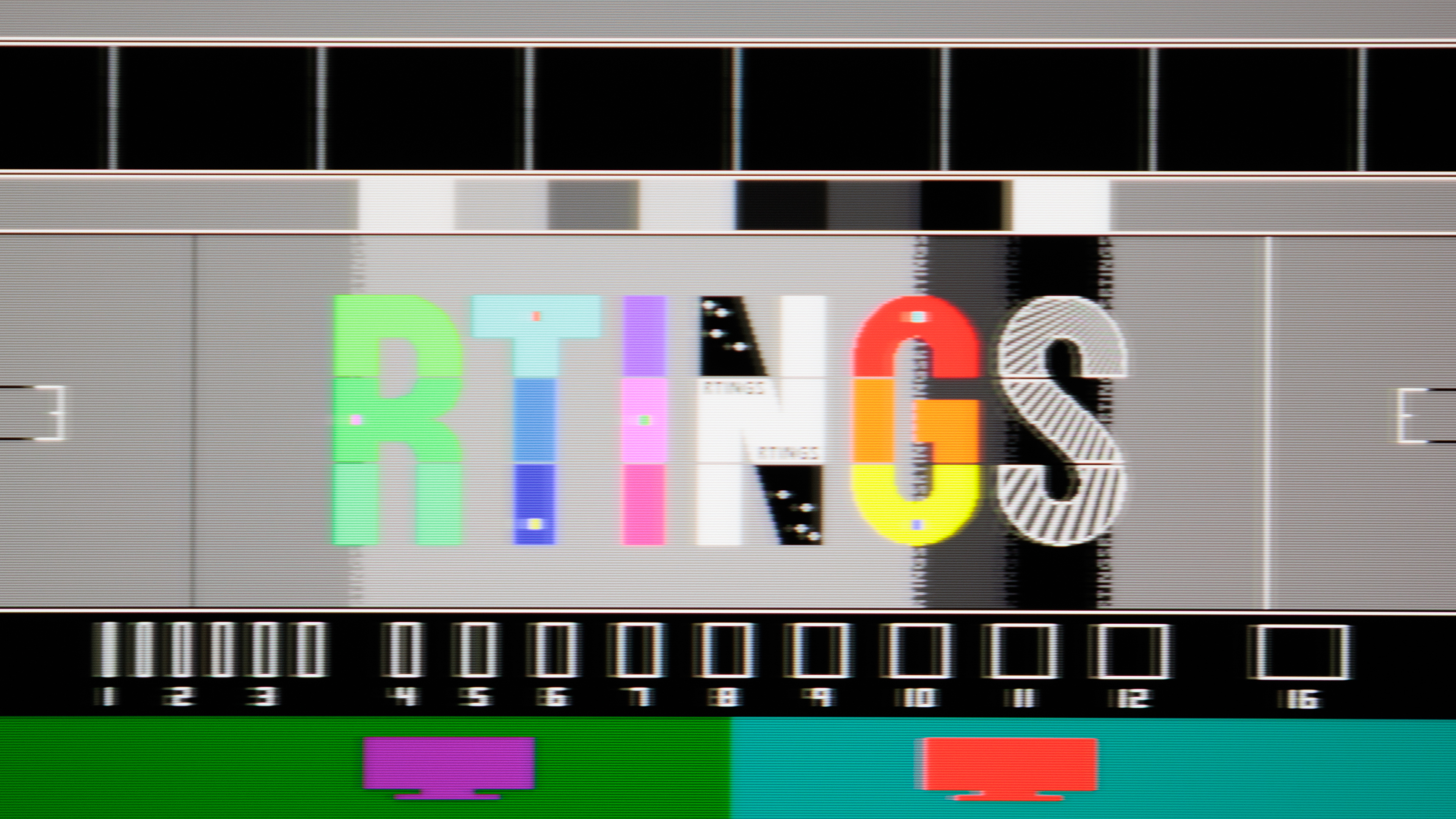
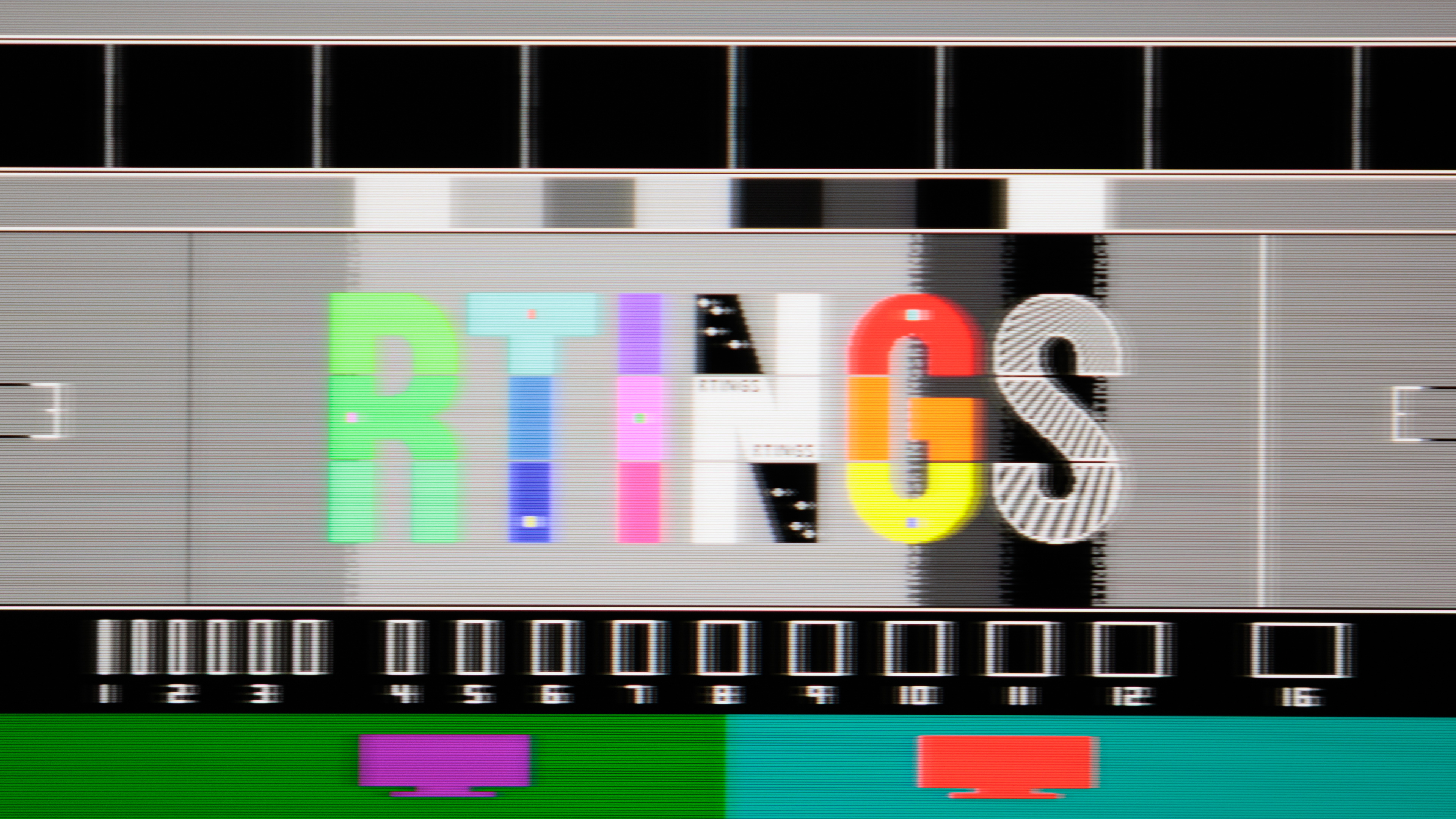
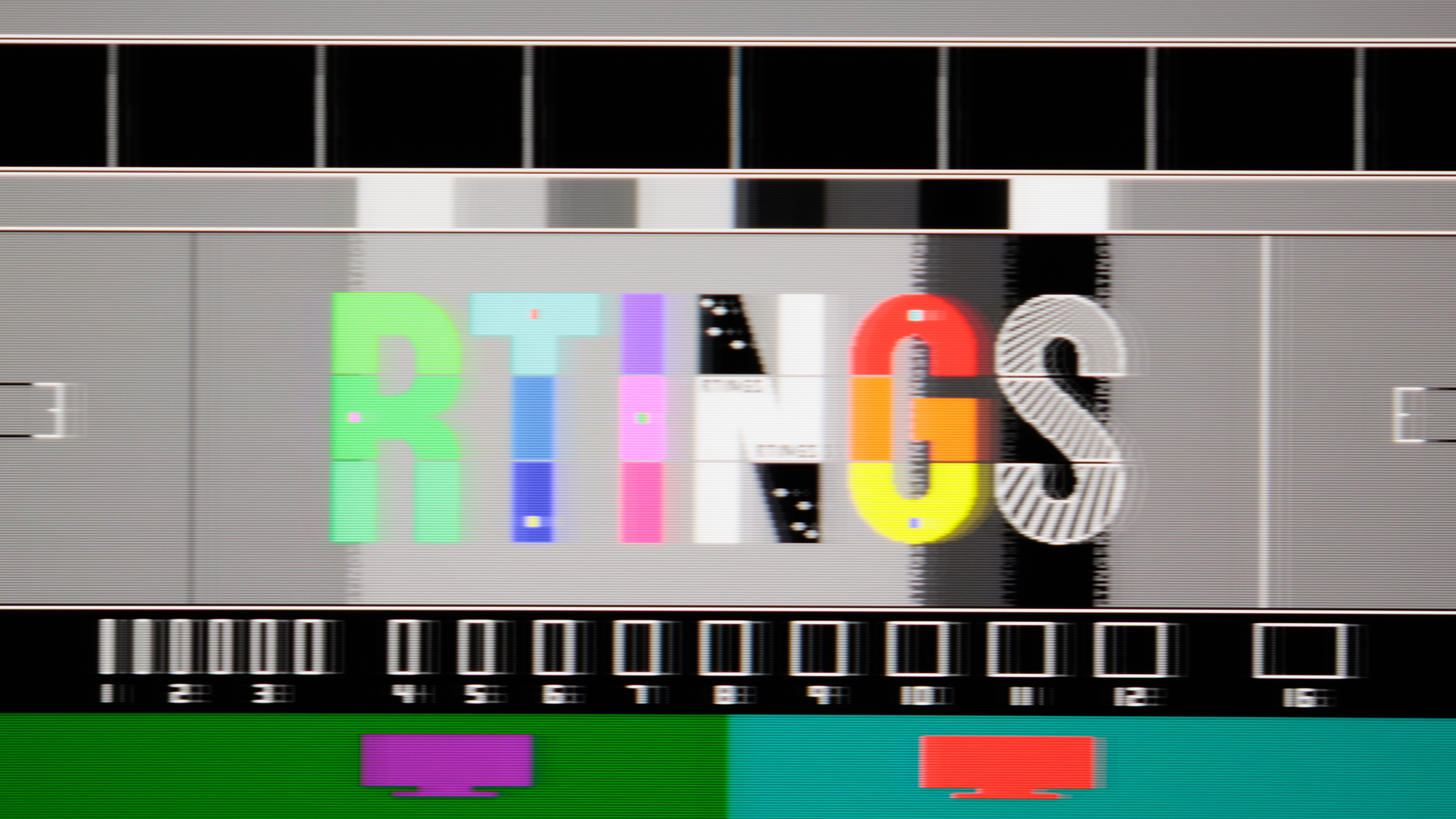
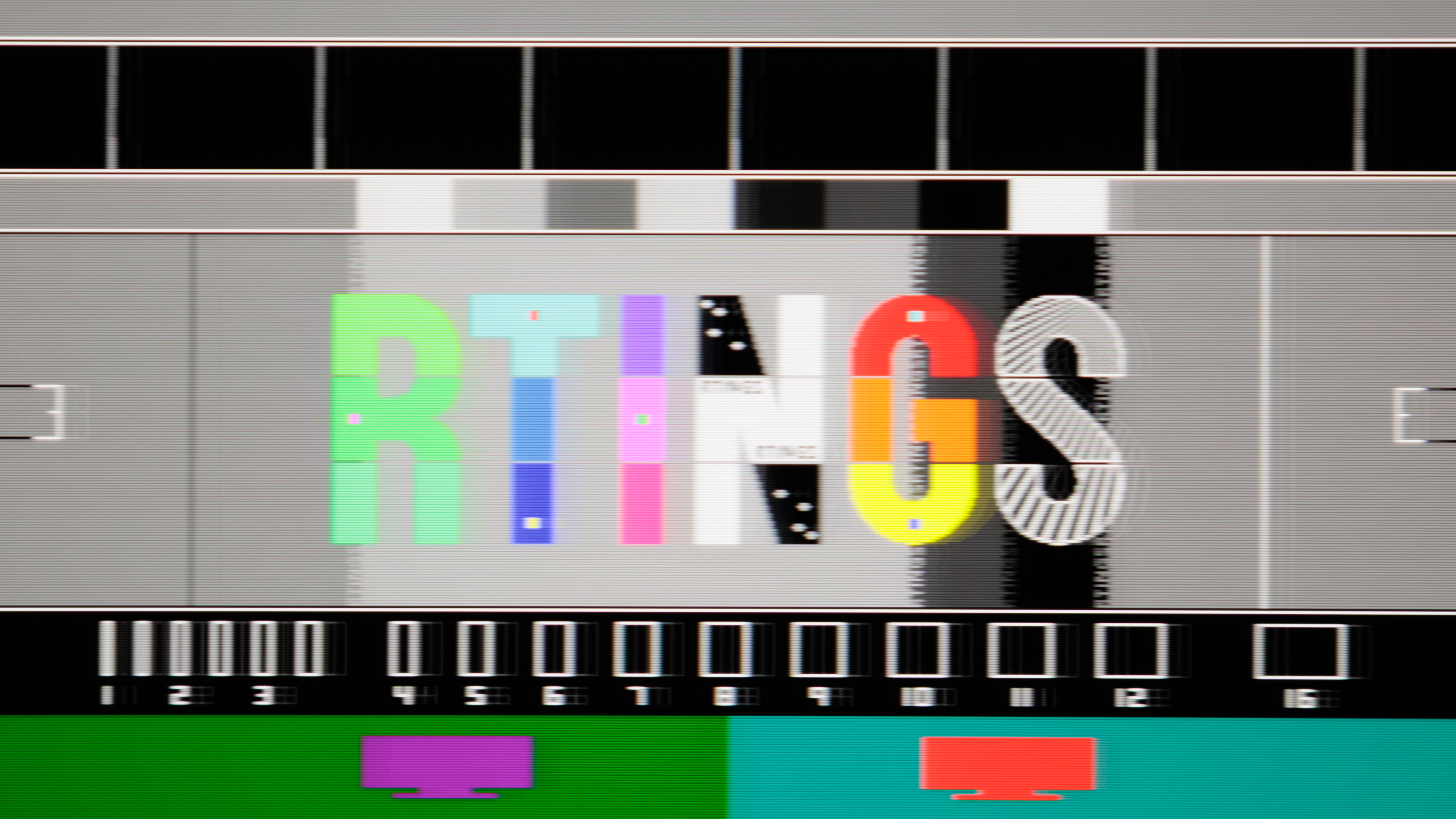
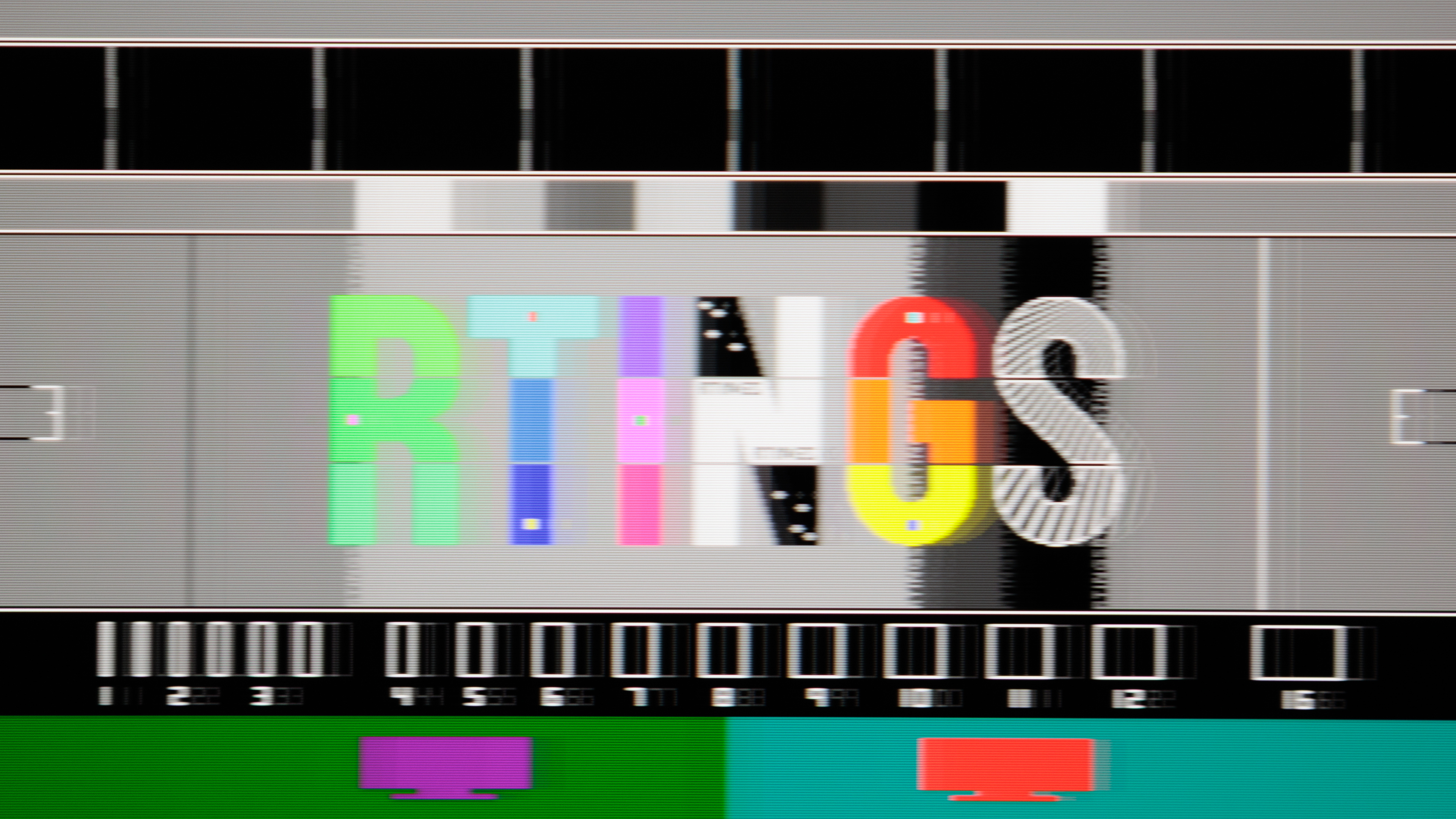
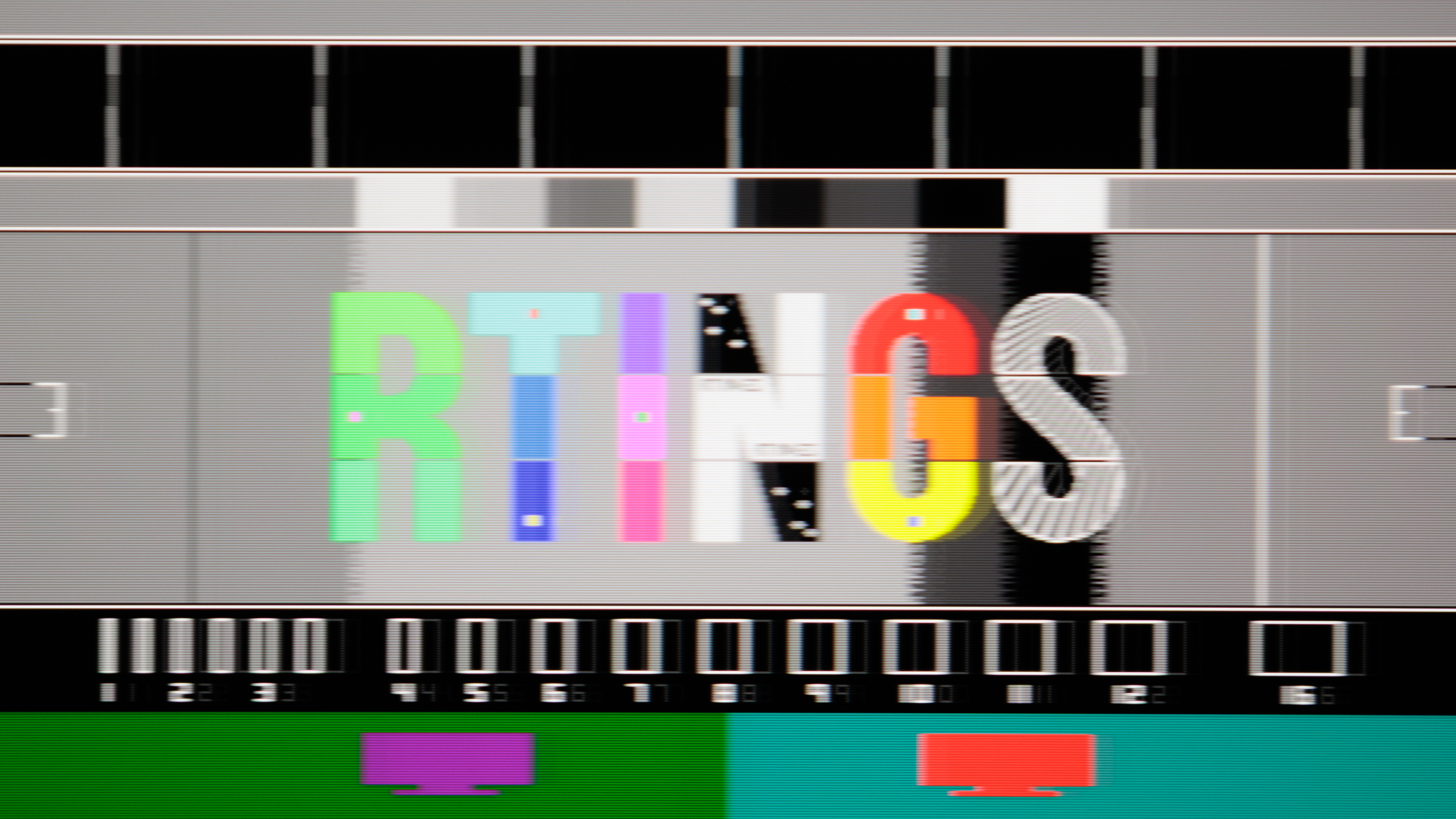
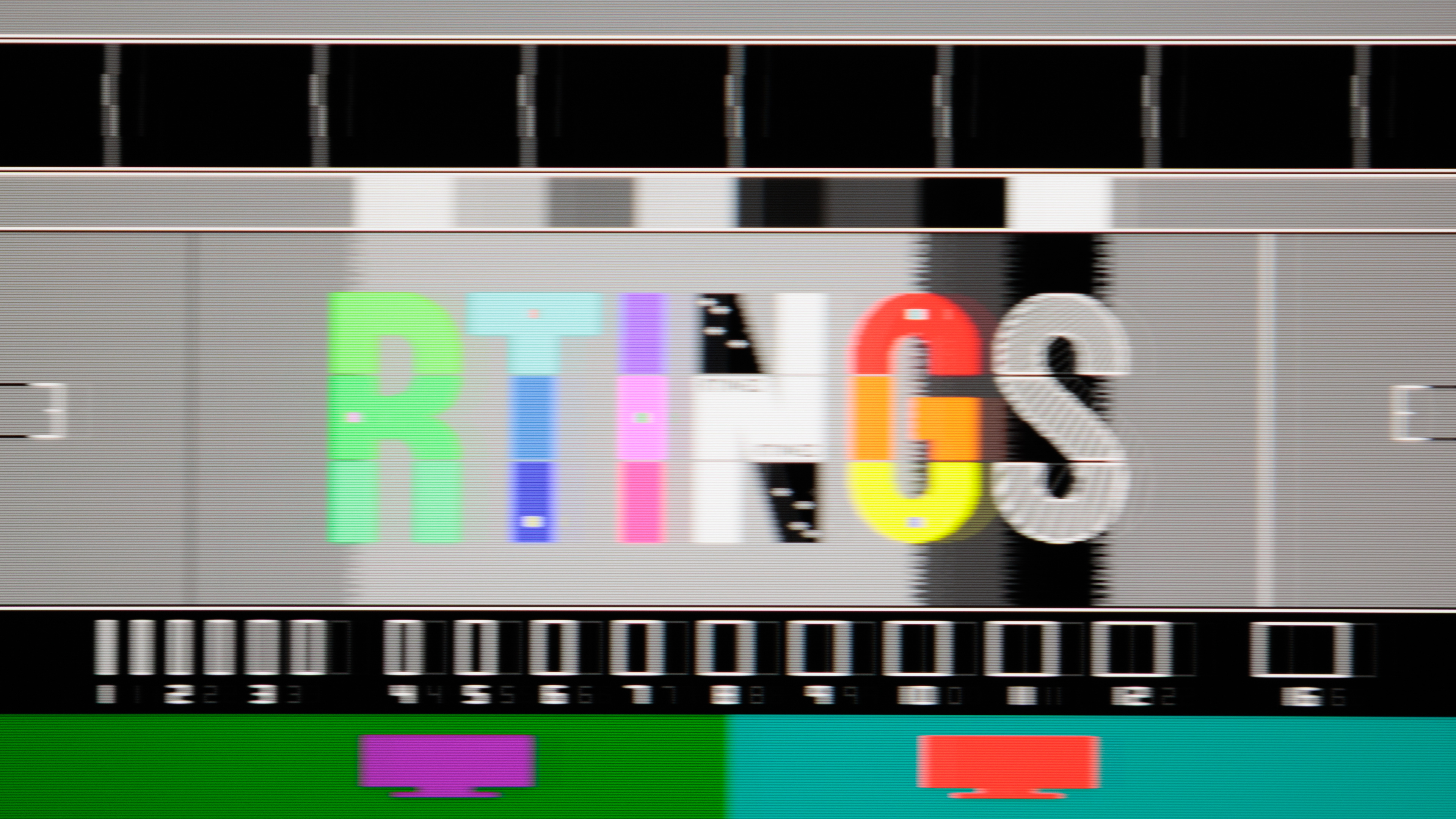
320 fps
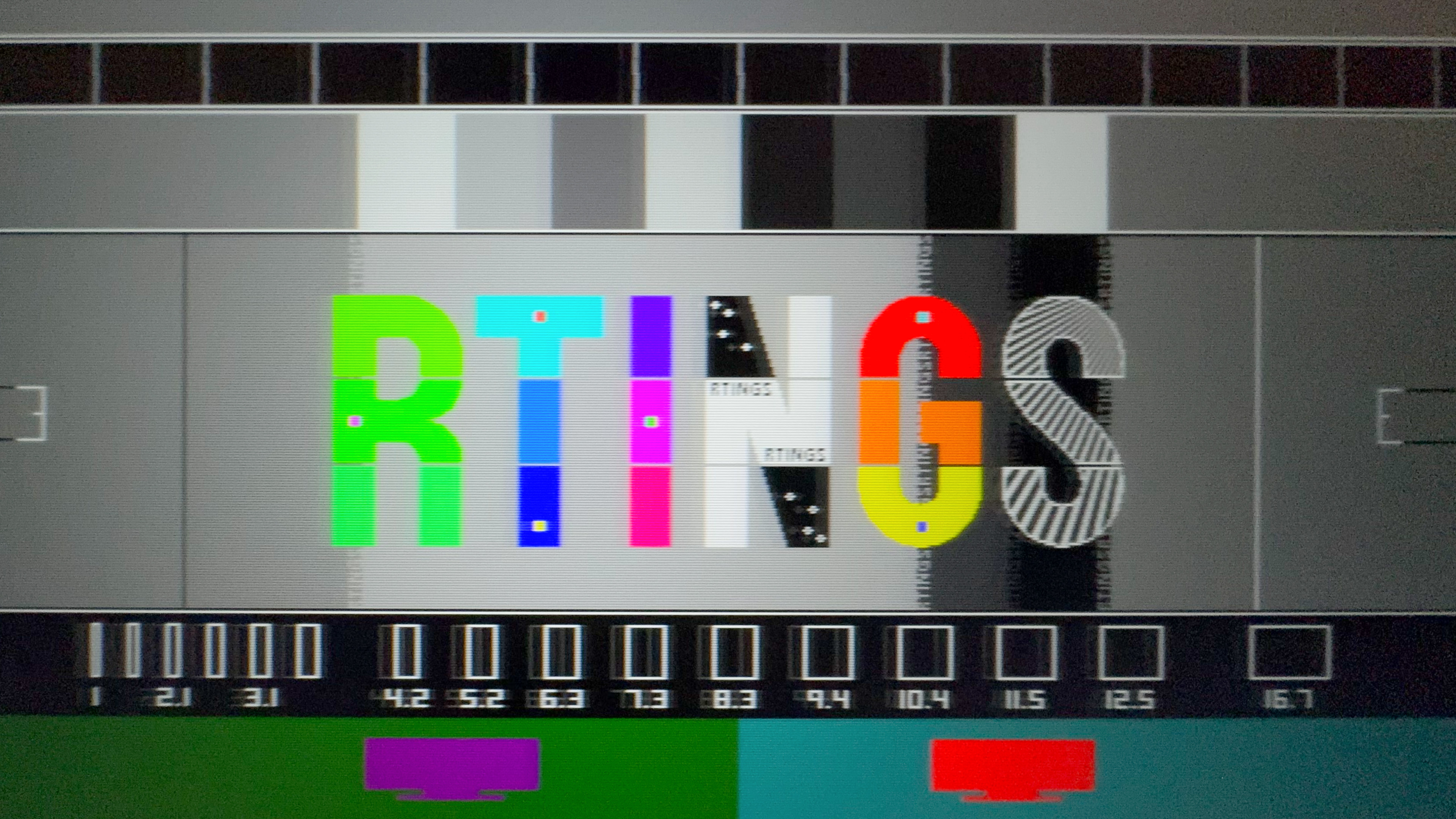
300 fps
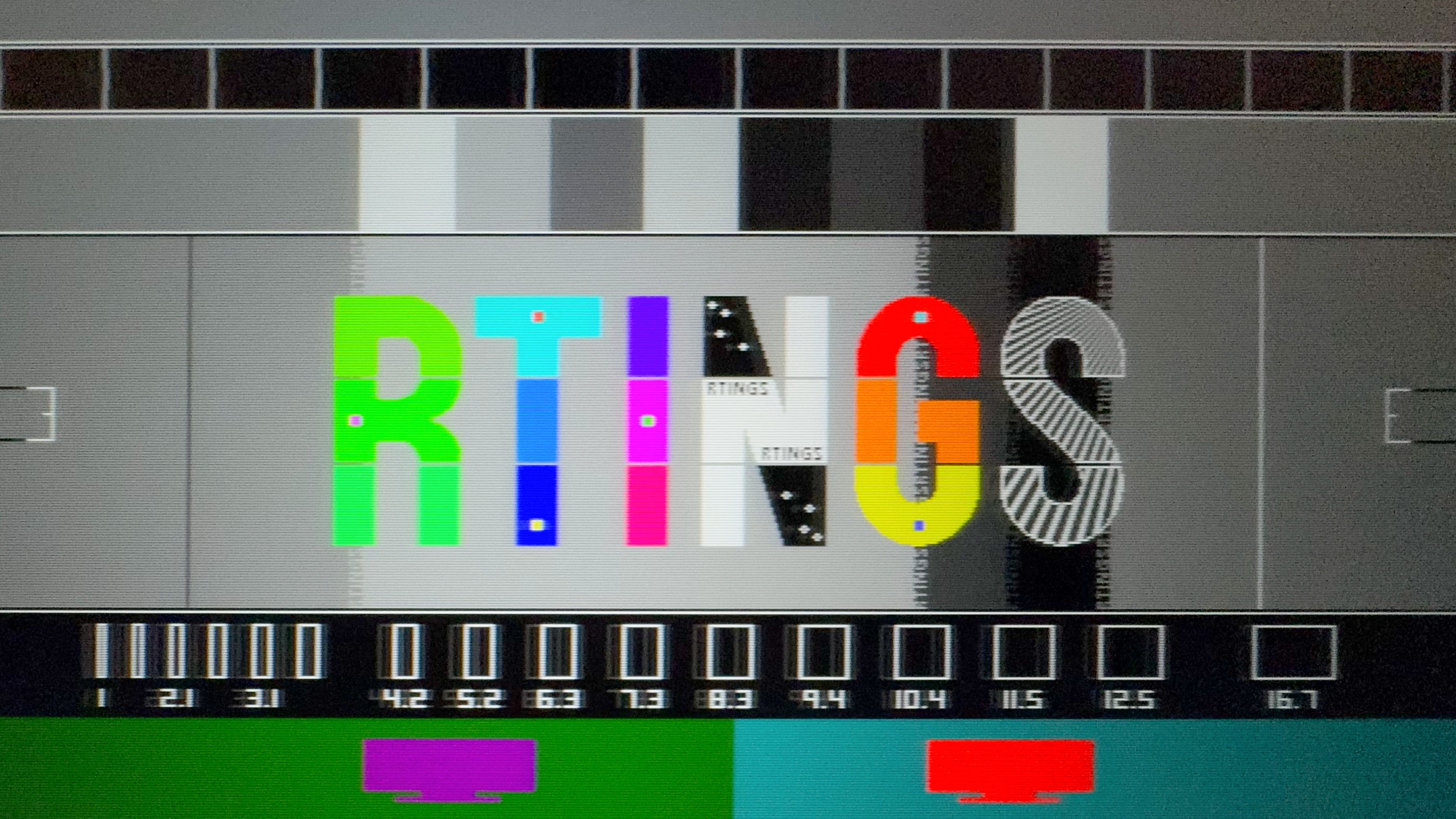
240 fps
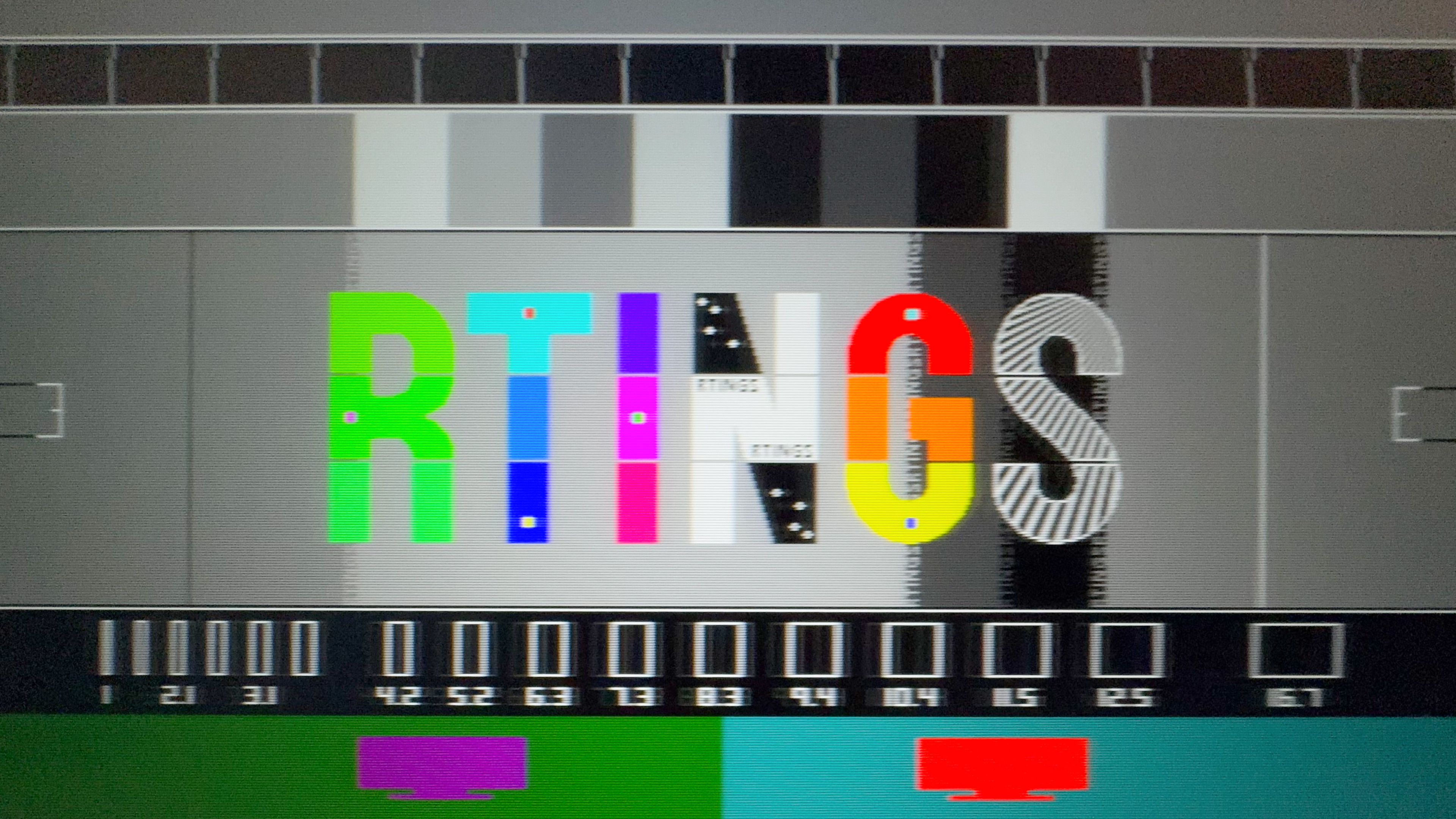
200 fps

120 fps
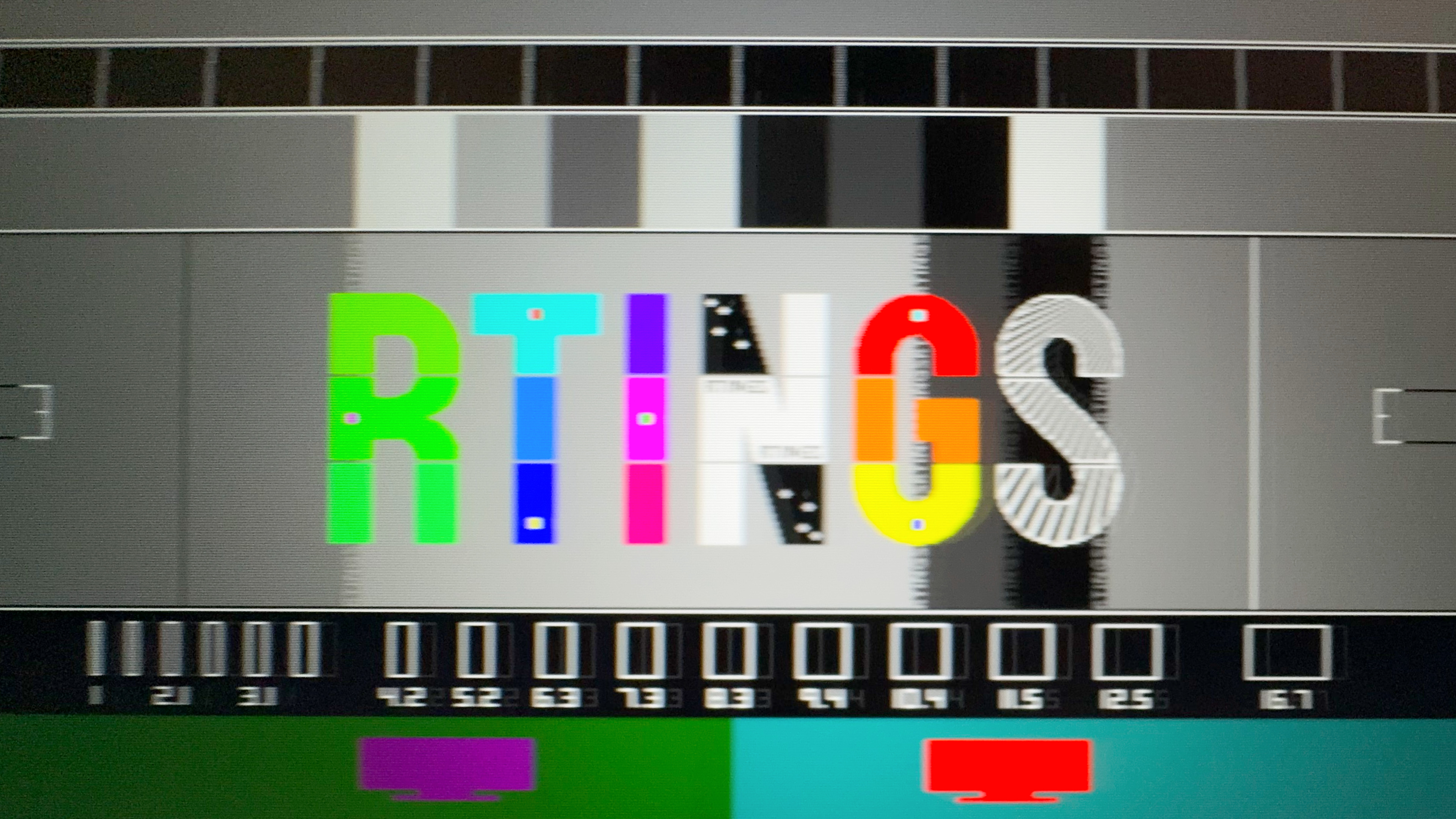
Photo album: https://ibb.co/album/D4XhCm
-
y0y0
- Posts: 2
- Joined: 23 Jun 2026, 14:23
Re: NVIDIA G-Sync Pulsar monitor - Asus ROG Strix XG27AQNGV
Hey, whats the verdict on this thing after the latest update? is it worth 500€? For 500€ I expect flawless QC, but Im seeing alot of returned asus pulsar monitors, so Im abit concerned about dead pixels and such.
-
hammelgammler
- Posts: 39
- Joined: 16 Mar 2015, 11:32
Re: NVIDIA G-Sync Pulsar monitor - Asus ROG Strix XG27AQNGV
I compared my Sony W900 CRT @ 60Hz with the Asus XG27AQNGV today and damn, it’s not even close. 120Hz ULMB2 10 PW is a lot better and even is at 60Hz.
Flickering is, as expected, a bit worse on the Asus, but not as worse as I thought. What is quite a bit worse is the input lag though. The CRT is quite a bit better, subjectively.
It’s quite annoying to me that Pulsar is marketed for competitive gaming. I would argue it really shines with modern games, where you often don’t get past 200 FPS anyways. For strictly competitive games, I would certainly prefer a 1440p 540Hz OLED for the extremely low input lag.
Flickering is, as expected, a bit worse on the Asus, but not as worse as I thought. What is quite a bit worse is the input lag though. The CRT is quite a bit better, subjectively.
Well I’m fortunate enough to have a 9800X3D and a 5090 and it’s often indeed not enough. But to be fair, that’s one advantage of multi frame generation. Given most newer games support DLSS, I would think 120 -> 360 could generally work pretty okay. But maybe it’s worse with Pulsar, as the blur on OLEDs might hide the artifacts a bit better. But I don’t know, never tried frame generation.RonsonPL wrote: ↑Yesterday, 11:37Actually, if you'd like to use ULMB2 120, even ignoring UE5s microstutters, shader compilation stutter and traversal stutter, 9800X3D on Nvidia GPUs struggles to maintain 120. I'd say the CPU completely fails if you task it with maintaining 200fps in the more demanding new games. Even well optimized Battlefield 6 cannot squeeze stable 300+fps from this CPU.
Sadly, nobody cares about HFR. We were lucky AMD made X3D, the gaming savior, by accident (they didn't want to make a gaming CPU, it was for servers, and someone realized "hey, this actually is awesome for games")
Instead of focus on that, we get DRMs, UE5, security patches, all with "don't worry, it slows your gaming by almost nothing, like 1%", and sometimes the reality is that 1% lows and 0,1% lows suffer by -20%.
It’s quite annoying to me that Pulsar is marketed for competitive gaming. I would argue it really shines with modern games, where you often don’t get past 200 FPS anyways. For strictly competitive games, I would certainly prefer a 1440p 540Hz OLED for the extremely low input lag.
-
knypol
- Posts: 84
- Joined: 18 Aug 2016, 03:40
Re: NVIDIA G-Sync Pulsar monitor - Asus ROG Strix XG27AQNGV
Is there a difference in clarity with 240 fps on 240Hz vs 240fps on 360Hz?
-
mawi
- Posts: 93
- Joined: 03 Jan 2026, 08:10
- Location: Palatine, Germany
Re: NVIDIA G-Sync Pulsar monitor - Asus ROG Strix XG27AQNGV
The Nvidia changelog was edited once more in the known bugs section. He added some dates. But for me its a bit confusing:
It says:
"known bugs
'two second black screen with RTX30/40 cards at 360 Hz'. Targeted fixed in new 615.xx driver, ETA now 10/6 (we missed the cutoff to make the 9/22 posting). NOTE: There is a workaround. Set Manage 3D Settings --> Power Management Mode to Prefer Maximum Performance . You do need to reboot after setting that for it to take effect.
the 'stuck at 320 FPS with increased latency' has been root caused and we are trying to get the fix integrated in new 615.xx driver, ETA now 10/6 (we missed 9/22). NOTE: some folks report a workaround, having a second monitor connected prevents it.
the 'no G-SYNC after monitor sleep' issue is under investgation. We have repro."
So they say these things will/might be fixed on October 6, they missed the next driver on September 22nd. So far so good. But they say it will be integrated in new driver 615.xx... we are already at 616.92?!
Are there different driver branches we can chose from?
It says:
"known bugs
'two second black screen with RTX30/40 cards at 360 Hz'. Targeted fixed in new 615.xx driver, ETA now 10/6 (we missed the cutoff to make the 9/22 posting). NOTE: There is a workaround. Set Manage 3D Settings --> Power Management Mode to Prefer Maximum Performance . You do need to reboot after setting that for it to take effect.
the 'stuck at 320 FPS with increased latency' has been root caused and we are trying to get the fix integrated in new 615.xx driver, ETA now 10/6 (we missed 9/22). NOTE: some folks report a workaround, having a second monitor connected prevents it.
the 'no G-SYNC after monitor sleep' issue is under investgation. We have repro."
So they say these things will/might be fixed on October 6, they missed the next driver on September 22nd. So far so good. But they say it will be integrated in new driver 615.xx... we are already at 616.92?!
Are there different driver branches we can chose from?
7800X3D, RTX 5070 Ti, XG27AQNGV Pulsar
-
rexbinary

- Posts: 14
- Joined: 21 Jan 2026, 00:55
Re: NVIDIA G-Sync Pulsar monitor - Asus ROG Strix XG27AQNGV
I'm really looking forward to the sleep bug fix. I hope it comes soon.
EDIT: I seldom post without an edit.
-
mawi
- Posts: 93
- Joined: 03 Jan 2026, 08:10
- Location: Palatine, Germany
Re: NVIDIA G-Sync Pulsar monitor - Asus ROG Strix XG27AQNGV
Unfortunately thats the only one without an ETA date in the list

7800X3D, RTX 5070 Ti, XG27AQNGV Pulsar