Re: NVIDIA G-Sync Pulsar monitor - Asus ROG Strix XG27AQNGV
Posted: 27 Sep 2026, 05:46
Are you worried high input lag at 60Hz or 120Hz with ULMB2-enabled? No worry needed for me despite 60Hz on my Acer Pulsar monitor.
Who you gonna call? The Blur Busters! For Everything Better Than 60Hz™
https://forums.blurbusters.com/
There's some caveats with that.

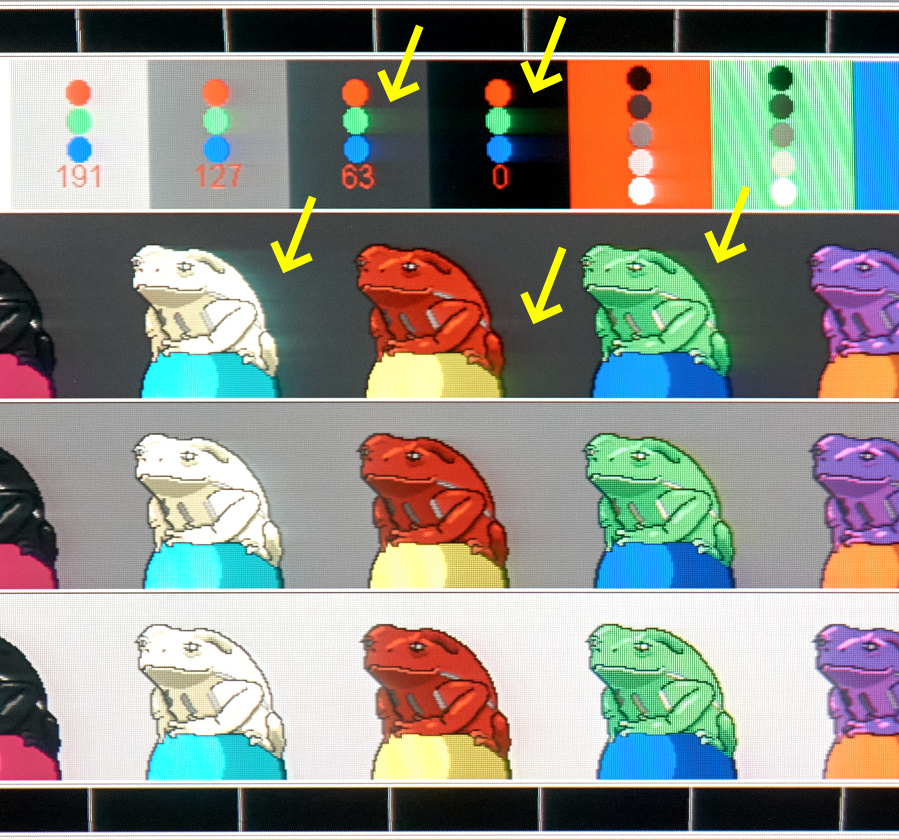
CRT is the gold standard but it isn't full perfect. Ashun's aperturegrille image is as follows:
Thanks for the reply. So, in my situation—considering my current monitor and gaming habits (by the way, I never play online)—which do you think would be better: OLED or Pulsar?tsarri wrote: ↑22 Sep 2026, 12:29I'm wondering as well and its part of the reason why I still use Pulsar at that refresh rate range. I find the latency is too distracting with 120Hz ULMB2 + V-Sync.hammelgammler wrote: ↑22 Sep 2026, 06:58Does someone know a trick to have the lowest latency but still no tearing with 120Hz ULMB2?
I tried various forms of scanline sync, but in all cases I can’t seem to get it to work flawlessly, at one point the tear line is back. Also moving the line up/down does not really work as expected, neither with SpecialK nor RTSS. When I move the line 1 up/down, the tool syncs again and the line is at a random spot again.
I saw that fast sync with a (actual Hz - 0.01) limit seemingly has the lowest latency and still no tearing? Interestingly enough, it seems to work in some games, but not with all. Is that normal?
Besides that, low-lag V-Sync does work pretty reliable, but it stutters a bit, which is of course way more obvious with great motion clarity.
Thanks for the reply. So, in my situation—considering my current monitor and gaming habits (by the way, I never play online)—which do you think would be better: OLED or Pulsar?t2na wrote: ↑24 Sep 2026, 11:281. Haven't experienced either - but this can differ from person to person. I will say it does take me a few days to get my eyes used to strobing after not using it for a while - but nothing in terms of eye strain or flicker.
2. Can't say I've noticed any at all for the games I've played at that fps range.
3. Yeah, I really enjoyed playing AC Shadows at around 90fps on the Pulsar monitor. It just made everything feel smoother and more clear at every point. I also did enjoy playing the game on an OLED though for how gorgeous it looked - but it was never as clear in motion as on the Pulsar and unfortunately AC Shadows has plenty of moments where you get dark scenes with fps fluctuations which didn't help with VRR flicker.
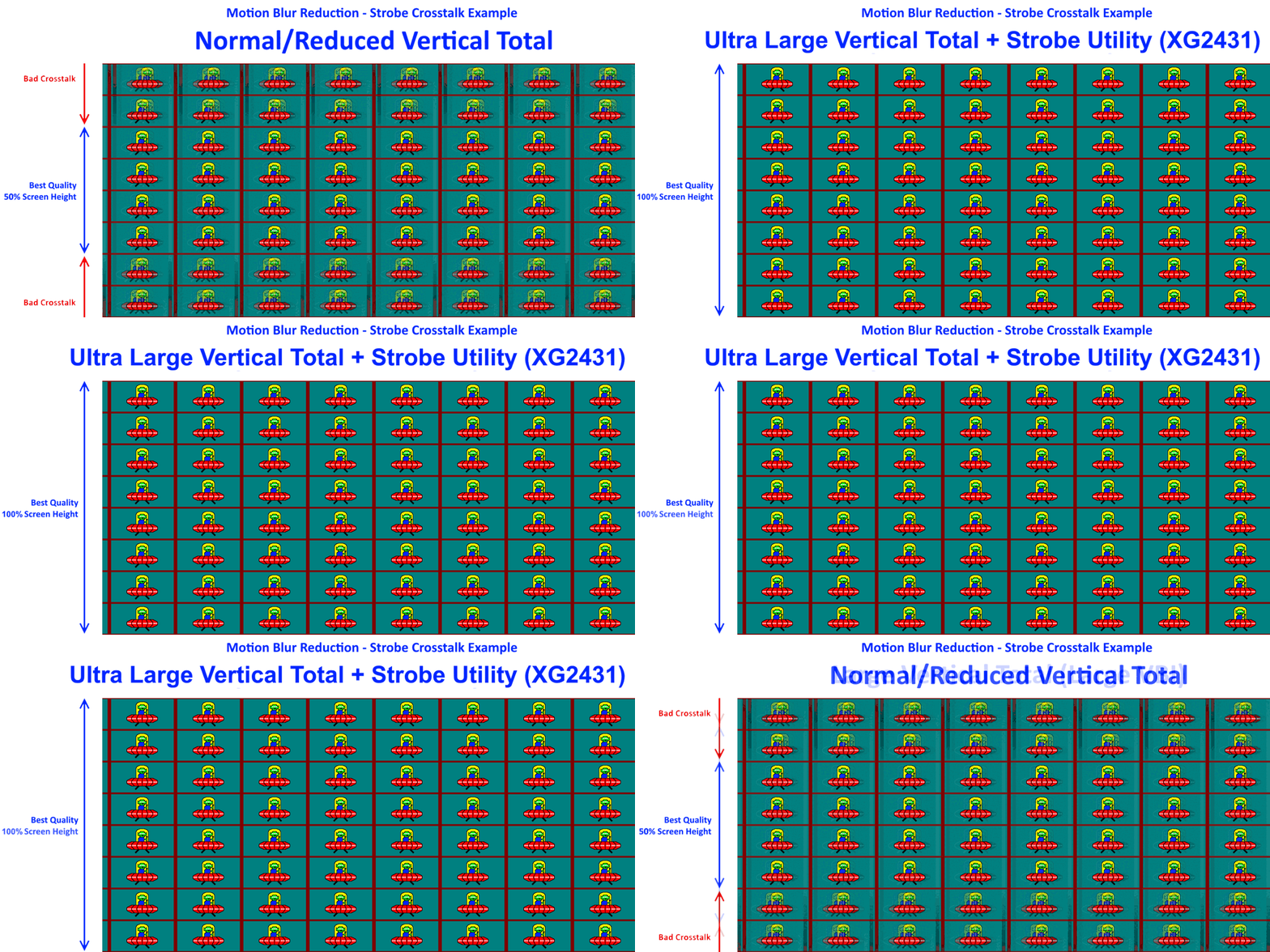
Has anyone done any pursuit photographs on these models? Surely, the G2G RT's @ 120-144Hz result in some form of crosstalk at these low pulse on times?Chief Blur Buster wrote: ↑27 Sep 2026, 14:43Also, most LCD VR headsets now outperform a FW900 CRT, at least for refresh rates that the VR headset supports.

That's all great in theory, but the "merely" part is exactly where >95% of implementations on the market falter.Chief Blur Buster wrote: ↑27 Sep 2026, 14:43...
And then you have an infinite motion clarity headroom on an LCD, that just merely depends on how brightly you can strobe a backlight (half pulsewidth = need to strobe twice as bright for same brightness at half persistence), aka Talbot-Plateau Theorem.
Interesting, I read that at least the Index has ~0,5ms MPRT? Also, is this fixed for all refresh rates? As far as I understand it, given the same pulse on time, a higher refresh (e.g. 60Hz -> 120Hz) should still half the MPRT, because the pulse on time is for each frame.kyube wrote: ↑28 Sep 2026, 03:02Has anyone done any pursuit photographs on these models? Surely, the G2G RT's @ 120-144Hz result in some form of crosstalk at these low pulse on times?
Namely: Valve Index & Meta Quest 3 (which are both quoted to be ~300µs pulse on time, close to the KTC)
The voltage boosting they're doing must be absurdly high.
Technically that's 3 questions! lol butwiseude wrote: ↑29 Sep 2026, 09:24Monitor just arrived in perfect condition.It's really bright compared to what I'm used too but it works fine so far.(i updated the firmware aswell)
Using these settings:
Brightness dropped to 100
Contrast to 80
Game visual on Racing mode
Dark boost on 1
Color Temp on User mode 100R 98G 94B
Think il reduce the contrast a tiny bit more because its still a bit bright.
Got 2 questions.
1.Is it normal that is slighty warm to the touch on the bottom right/upper right part of the monitor@?
2.Anyone else got some settings I should tweak
3.Will pulsar effect browsing aswell or just strictly gaming?
Thank you.

Yea sorry,It was originally 2 questions but I edit a 3rd one in.liquidshadowfox wrote: ↑29 Sep 2026, 10:14Technically that's 3 questions! lol butwiseude wrote: ↑29 Sep 2026, 09:24Monitor just arrived in perfect condition.It's really bright compared to what I'm used too but it works fine so far.(i updated the firmware aswell)
Using these settings:
Brightness dropped to 100
Contrast to 80
Game visual on Racing mode
Dark boost on 1
Color Temp on User mode 100R 98G 94B
Think il reduce the contrast a tiny bit more because its still a bit bright.
Got 2 questions.
1.Is it normal that is slighty warm to the touch on the bottom right/upper right part of the monitor@?
2.Anyone else got some settings I should tweak
3.Will pulsar effect browsing aswell or just strictly gaming?
Thank you.
1. Somewhat normal be keep an eye on it because some units are defective and overheat (probably bad heatsink contact or something) and will cause the panel to shutdown during Gsync pulsar operation to prevent damage. If it only ever stays warm and everything works, it should be ok
2. I don't, I just left most things default, 78 contrast, 100 brightness and yes it's still too bright which is why I think nvidia needs to add a "pulsar extreme" mode that halves the max brightness but gives us sharper visuals in exchange
3. It affects everything