Manimal 5000 wrote: ↑25 Mar 2022, 02:15
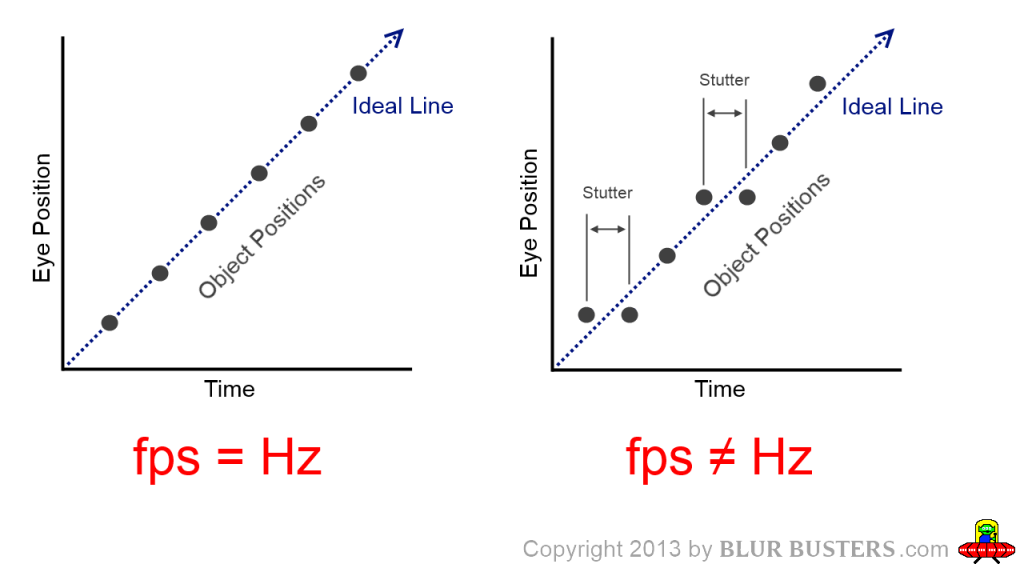
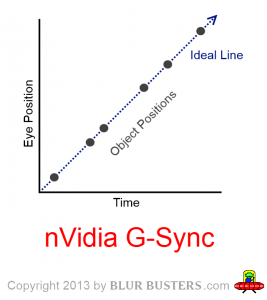
Thanks, I see now that the frame rate inconsistencies are not a concern. I guess V-sync is more "stable" because the PC only worries about drawing 1 frame per refresh cycle whereas G-sync draws all the frames it can, both longer and shorter (hence the frame dips). In the end they average the same frame rate, input lag (?) and "game time to photon time". xcept one is consistent and one sporadic. If I didn't get that right let me know!
You got it mostly correct, yes.
In fixed-Hz operations, the game/GPU waits for the monitor refresh schedule.
In GSYNC operations, the monitor waits for the GPU/game, and refreshes immediately on the spot.
There is flexibility to what pros/cons you get, but it's very software-dependant.
For some applications, you can gain consistency in all (consistent framerate, consistent input lag, and consistent gametime:photontime), which is why emulator users love GSYNC, because it's the world's lowest-lag "VSYNC ON lookalike" technology. The software just is simply 100% responsible for frametimes, and would require microsecond accurate timers or QueryPerformanceCounter/RTDSC/busywaits to get glassfloor frametimes with GSYNC. It's 100% software-controlled refresh cycle timing when a frametime is within VRR range -- the software is responsible for delivering a frame that refreshes immediately on the spot.
But most of the time, variable-framerate games will erratically deliver frames at erratic frametimes, but as long as "erratic frametimes are in perfect sync to erratic refreshtimes" for perfect gametime:photontime sync, the stutters disappears without needing consistent frametimes. And latency stays perpetually low as the world's lowest latency "non-VSYNC OFF" sync technology.
Mind you, VSYNC OFF can still beat GSYNC in latency especially for framerates massively exceeding Hz (that's why I recommend 360Hz GSYNC if you want to use GSYNC in CS:GO esports -- correct use of GSYNC in esports is VRR range wider than Hz range, so you don't have to deal with the capping shit which is simply just a good band-aid. But let's get rid of band-aids, shall we). However, if you hate tearing, there's practically nothing lower lag than a well-optimized VRR display with a supported game -- being the world's lowest lag "non-VSYNC-OFF" technology, with the caveat that uncapped framerates are permanently inside VRR range...
Also, one magical thing about GSYNC is that all VRR is defacto QFT (Quick Frame Transport). A 83fps frame means an 83Hz refresh rate, but the frame is delivered faster at max-Hz. Not all pixels on a screen refresh at the same time (
high speed video of refresh cycles), but GSYNC can lower the latency of low frame rates too. This is because frames are refreshed faster onto the screen, since all frames are transmitted at max-Hz speed, no matter the current fps (Hz). While the refresh rate is still lower at lower frame rates, the individual refresh cycles paint faster.
It looks like 83Hz perfect VSYNC ON at framerate=Hz to the human eye. But the latency is deliciously low because if you're running at 240Hz, your 83fps frame is refreshed onto the screen in 1/240sec. There is no double buffering necessary when your framerate is inside VRR range, because there's no need for a frame to wait for the monitor to refresh (as long as the frametime is inside VRR range). As soon as the game finishes rendering a frame and presents it -- the monitor immediately begin refreshing (pixels transmit over cable one pixel row at a time, and streams onto the LCD panel one pixel row at a time concurrently).
Most fixed-Hz means 60fps 60Hz means it takes 1/60sec for the first and last pixel to transmit over the able.
This is not the case for VRR technologies such as GSYNC and FreeSync. 60fps ("60Hz") on a 240Hz GSYNC is transmitted over the cable in 1/240sec. Both looks like 60fps 60Hz VSYNC ON, but the latency is much lower with framerates within GSYNC refresh rate range. This is because the frame is transmitted faster over the video cable, and painted faster onto the screen.